QuickQuoteFor office & job site

Connector

QuickQuote with ChatGPT and Claude

Connect your own ChatGPT or Claude assistant to QuickQuote. Then you can ask, for example, who is on site today. The assistant proposes a scheduling change. If you confirm it, the change is created in QuickQuote. If something is not right, you can undo it.

  • For all businesses with paid QuickQuote
  • Boss or office only
  • Read or write, only with explicit permission
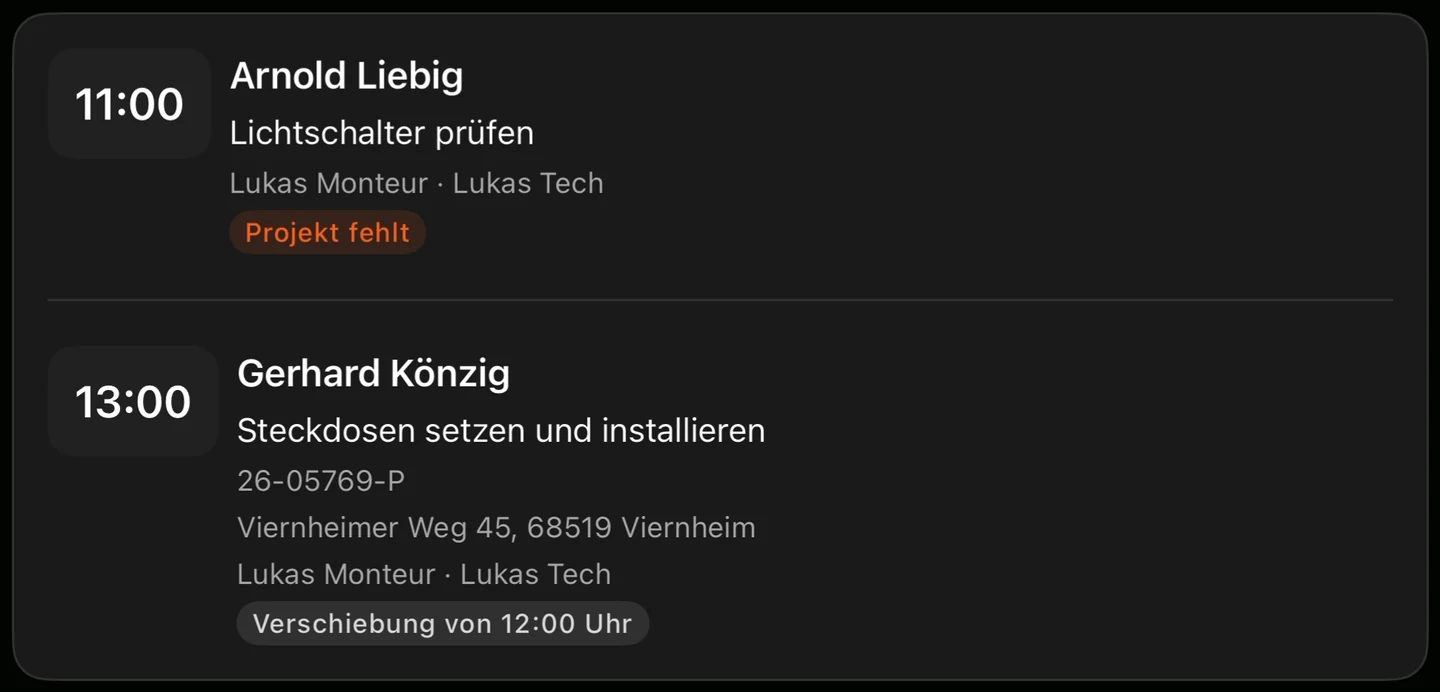
Proposal in QuickQuote: Arnold Liebig at 11:00 and Gerhard Könzig at 13:00, with Lukas Monteur and Lukas Tech. Test data. The app text in the screenshot is in German.

The screens show QuickQuote with test data. The app text in the screenshots is in German.

Available now

Ask, propose, create, undo.

You ask in ChatGPT or Claude. The answers and the changes come from your QuickQuote.

What you can ask

  • Who is scheduled where today or this week, including the appointment time with the customer on the first day.
  • Who is absent, without the reason, and which employees there are.
  • Search and read jobs: customer, site, status, appointments, technicians, quote and invoice numbers.
  • Hours per job.
  • What the connector changed in the last 14 days.
What the assistant can do

  • Schedule technicians onto jobs and remove them, including a time.
  • Schedule a site visit.
  • Create or change a planner appointment.
  • Create a job and a customer.
  • Put a job on hold or resume it.
  • Change a field on a job.
  • Undo changes.

Scheduled technicians receive a push notification in their own app language.

What a proposal looks like

You see the proposal, then it is carried out.

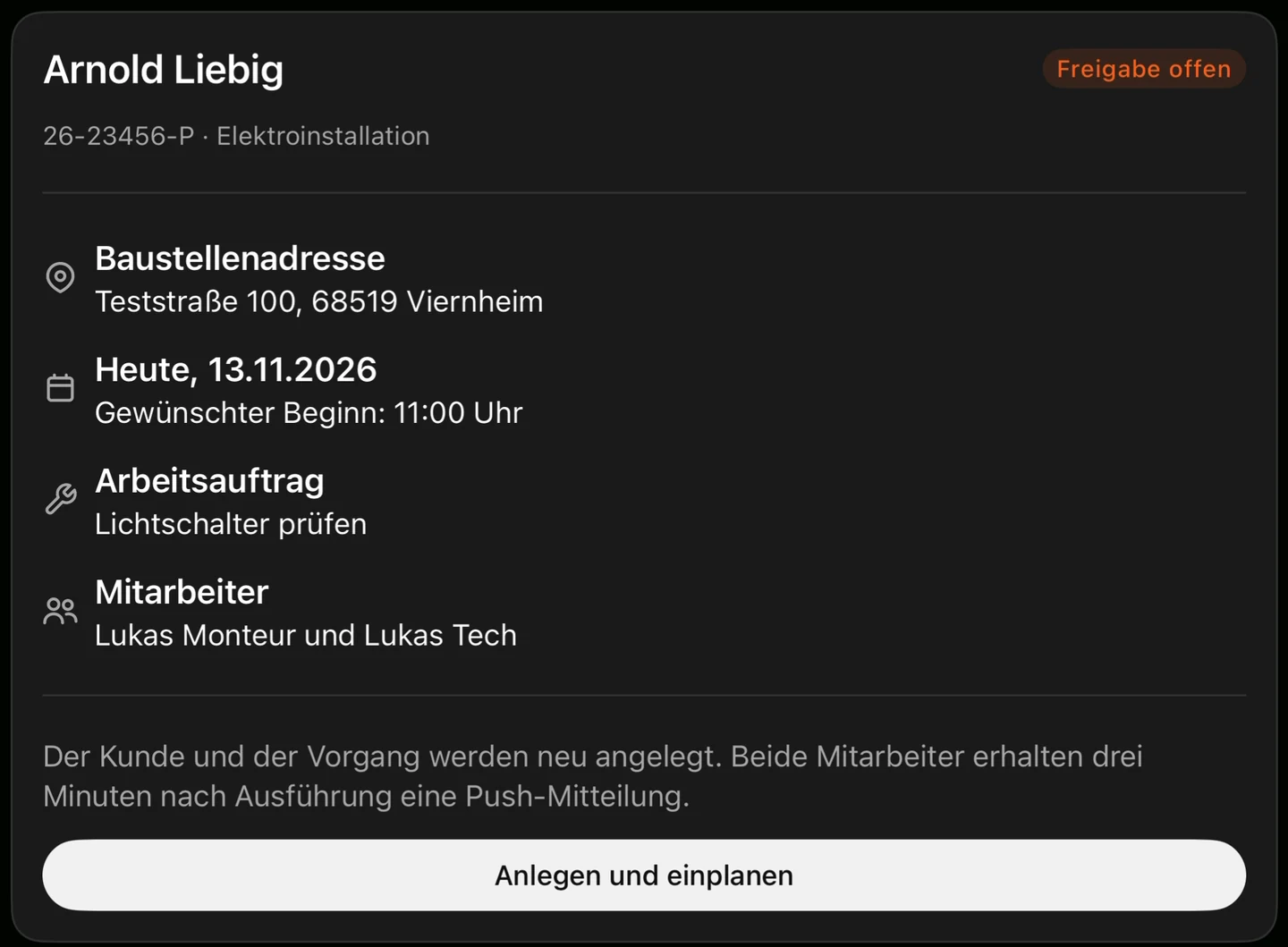
Every change first arrives as a proposal with a short sentence that you can see. QuickQuote carries out only that exact proposal.

For a scheduling change you have three minutes to undo it before the notification goes to the technician. Almost everything can still be undone after that.

Proposal card for Arnold Liebig with test data: approval still open, create and schedule, Lukas Monteur and Lukas Tech. The app text in the screenshot is in German.

And afterwards

Created, with time to undo.

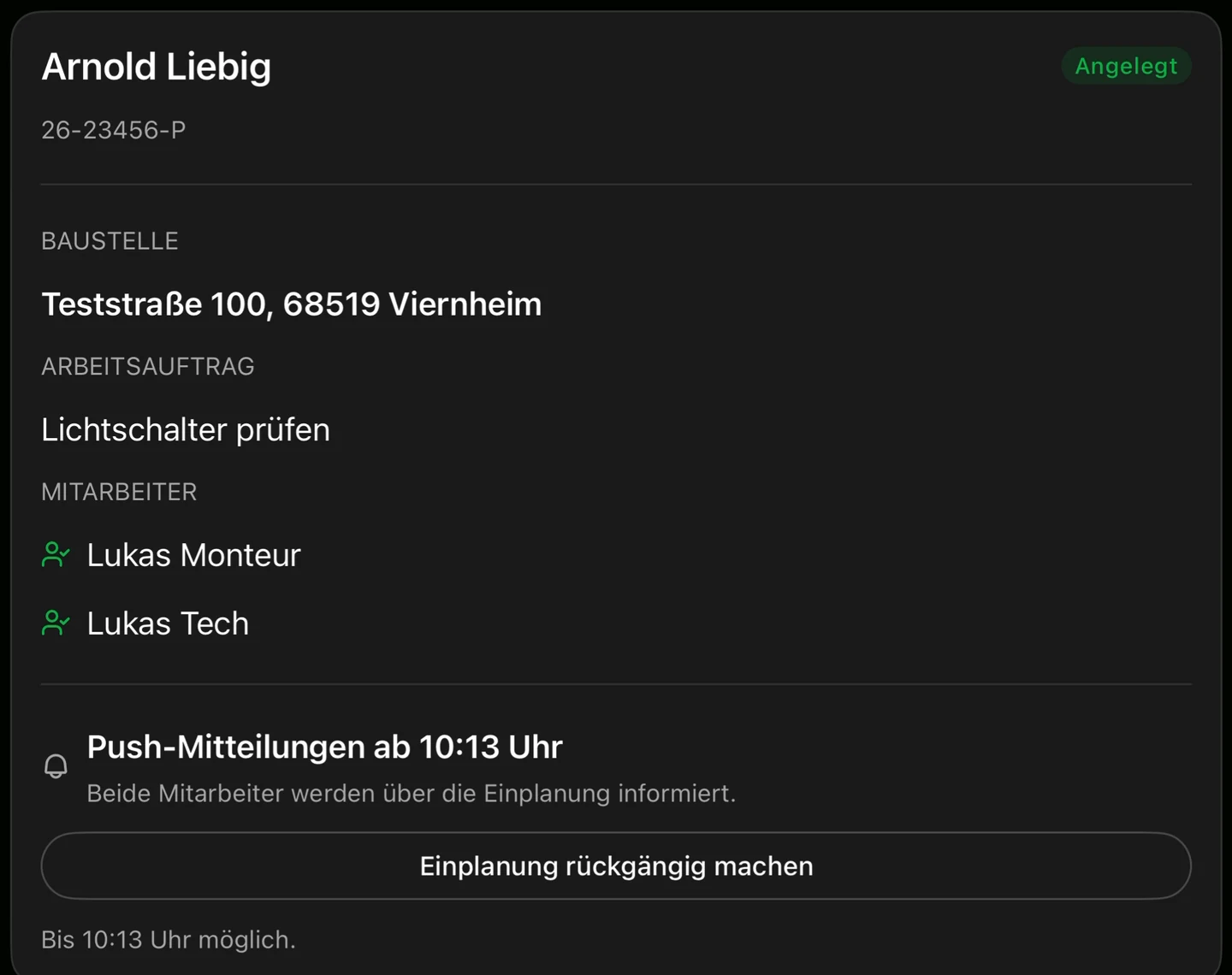
When you confirm, the change is in QuickQuote. The card shows when the notification goes to the technicians, and the button to undo it.

Confirmation card with test data: Arnold Liebig created, undo the scheduling change, push notifications to Lukas Monteur and Lukas Tech. The app text in the screenshot is in German.

The screens show QuickQuote with test data. The app text in the screenshots is in German.

Control

You stay in control.

Always a proposal first

Every change first arrives as a proposal with a short sentence that you can see. QuickQuote carries out only that exact proposal.

Three minutes before the notification

For a scheduling change you have three minutes to undo it before the notification goes to the technician. Almost everything can still be undone after that.

Boss and office only

Boss and office can connect it. Technicians, people from external firms and the payroll office cannot.

Traceable in the chat

You can ask in the chat for the changes of the last 14 days.

Disconnect at any time

You can disconnect at any time in the AI program. What has already reached the provider is subject to that provider's rules. Details are in the Privacy Policy.

Coming soon

Next in the chat

Quotes in the chat

Soon you will be able to create quotes in the chat and add line items.

Invoice drafts

Invoice drafts will also be coming through the connector soon.

Documents via a link

Soon you will also be able to add documents to a job via a link.

Setup guide

Connect now

The connector runs at https://ki.quickquote.tech/mcp. In ChatGPT this is in Settings under Plugins. In Claude, open “Customize”, then “Connectors”. The detailed steps are in the setup guide.

1. In ChatGPT, go to Plugins

Open ChatGPT in the browser. Go to Settings and then, under Integrations, to Plugins.

3. Sign in with QuickQuote

Sign in with your QuickQuote account. This is only possible as boss or office. The permission page asks who you are connecting as and which company you are connecting to.

4. Choose read or write

If the assistant should also carry out changes, tick “Also allow changes”. Without that checkbox, it may only read.

5. Allow it in ChatGPT

ChatGPT asks for permission for the connection. After that, ChatGPT confirms whether reading and writing are allowed.

The address stays the same. You do not need a client ID or a secret. The steps for Claude are in the setup guide.

You need paid QuickQuote and, for ChatGPT or Claude, a plan that supports connectors. A more detailed guide is also available as its own page: Set up the connector.

Questions

Common questions about the connector

Who can connect the connector?

Boss and office can connect it. Technicians, people from external firms and the payroll office cannot. The connector is available to all businesses with paid QuickQuote. For ChatGPT or Claude you need a plan that supports connectors.

Can the assistant simply change something in QuickQuote?

No. Every change first arrives as a proposal with a short sentence that you can see. QuickQuote carries out only that exact proposal. Writing is only possible if you expressly allow it when connecting.

How long can I undo a scheduling change?

For a scheduling change you have three minutes to undo it before the notification goes to the technician. Almost everything can still be undone after that.

What can I ask the assistant?

You can ask who is scheduled where today or this week, including the appointment time with the customer on the first day. You can ask who is absent, without learning the reason, and which employees there are. You can search and read jobs, including the customer, site, status, appointments, technicians, and quote and invoice numbers. This also includes the hours per job and what the connector changed in the last 14 days.
What can the assistant do in QuickQuote?

With write permission it can schedule technicians onto jobs and remove them, including a time, schedule a site visit, create or change a planner appointment, create a job and a customer, put a job on hold or resume it, and change a field on a job. Scheduled technicians receive a push notification in their own app language.

How do I end the connection?

You can disconnect at any time in the AI program, that is in ChatGPT or Claude. What has already reached the provider is subject to that provider's rules. More detail is in the Privacy Policy.

What is coming soon?

Soon you will be able to create quotes in the chat and add line items. Invoice drafts too. You will also be able to add documents to a job via a link.

Ready?

Connect now

In ChatGPT, open Settings and go to Plugins. Enter the address https://ki.quickquote.tech/mcp, sign in as boss or office, and tick “Also allow changes” if you want writing enabled. You use QuickQuote itself in the browser or in the app.