Record on site
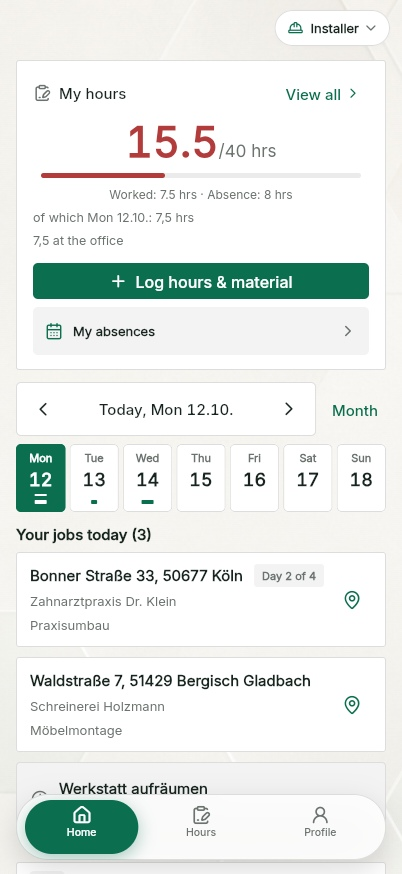
Start, end, break, activity, note. The day comes from the week plan. Without signal the entry stays in the app as a draft and goes out later.
Time tracking & timesheet app
Record working time on site and in the office, add team hours and clock in and out at your premises. With breaks, approval and signed timesheets. Free for up to ten people including the owner, in the browser and on iOS and Android.
Included in the free planner
Your team plans the week, records hours and adds materials to each job. At your premises, the time clock records arrivals and departures. You can compare attendance with booked hours.
Up to ten people including the owner, no payment details, no trial. The material catalogue, AI dictation, translation of your own texts, quotes and invoices belong to QuickQuote Pro. You provide the devices for the time clock.
How the hours travel
Four steps, no paper. Every step stays on the site, with ownership and timestamp.
Start, end, break, activity, note. The day comes from the week plan. Without signal the entry stays in the app as a draft and goes out later.
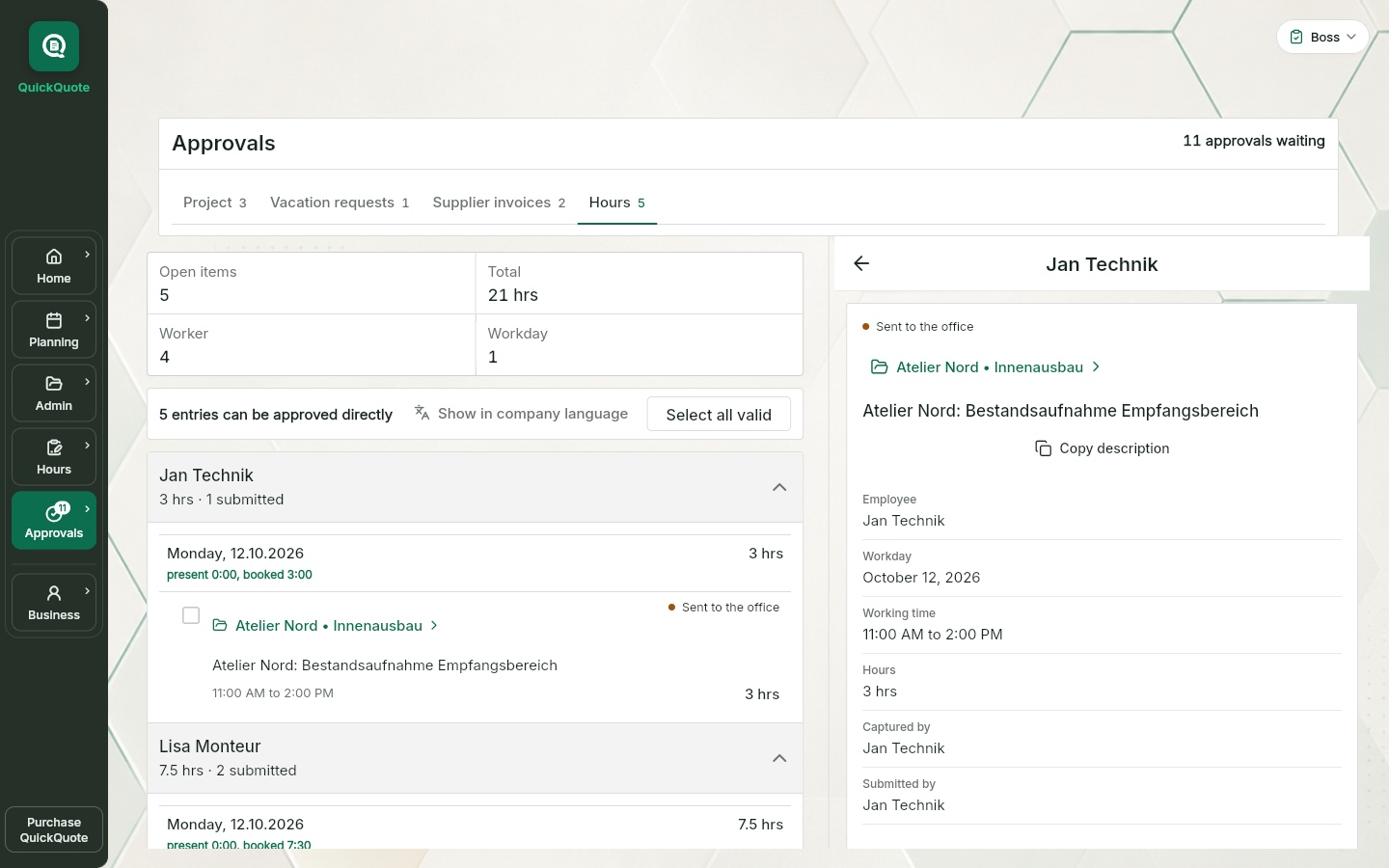
One by one or all at once. The boss gets a notification.
In review mode approve several entries at once or return them with a reason. Installers and office staff do not approve their own hours; boss and owner confirm their own when submitting.
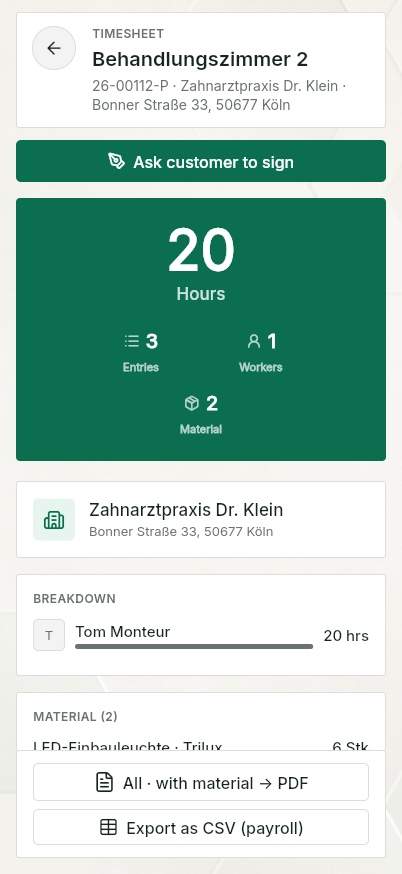
Timesheet per site as PDF, choose the period, the customer checks the details, installer and customer sign with a finger. In the free planner, download the PDF and save it yourself.
For example, an installer fits radiators on a job site. They assign their hours to the job and describe the work completed. After review, choose the period for the timesheet. The installer and customer can sign on the device; download the PDF and file it with the job.
A project timesheet for the customer does not automatically replace a complete working-time record. Other working time must be recorded too. The time clock shows attendance; it does not automatically turn that time into billable hours.
Tablet kiosk included
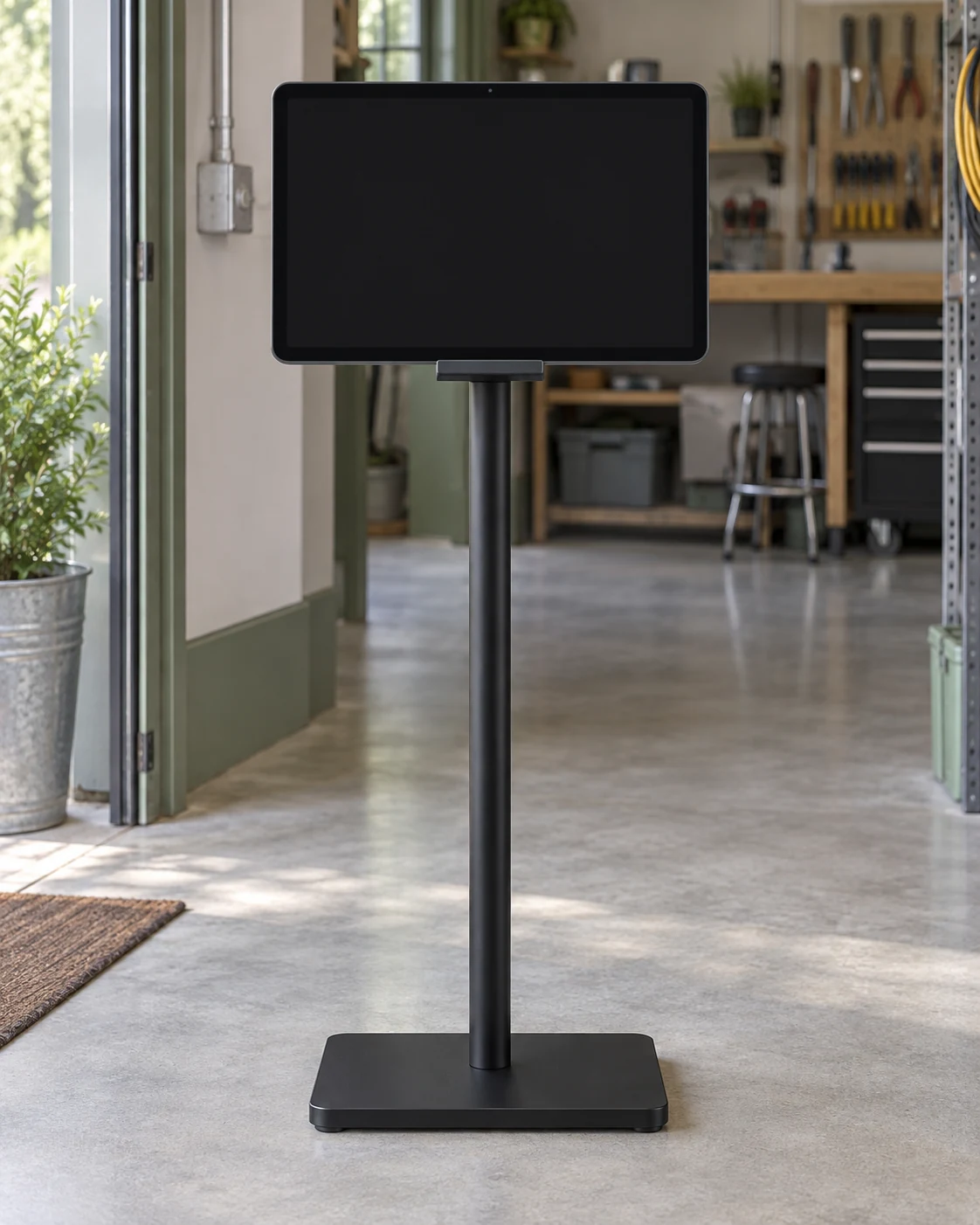
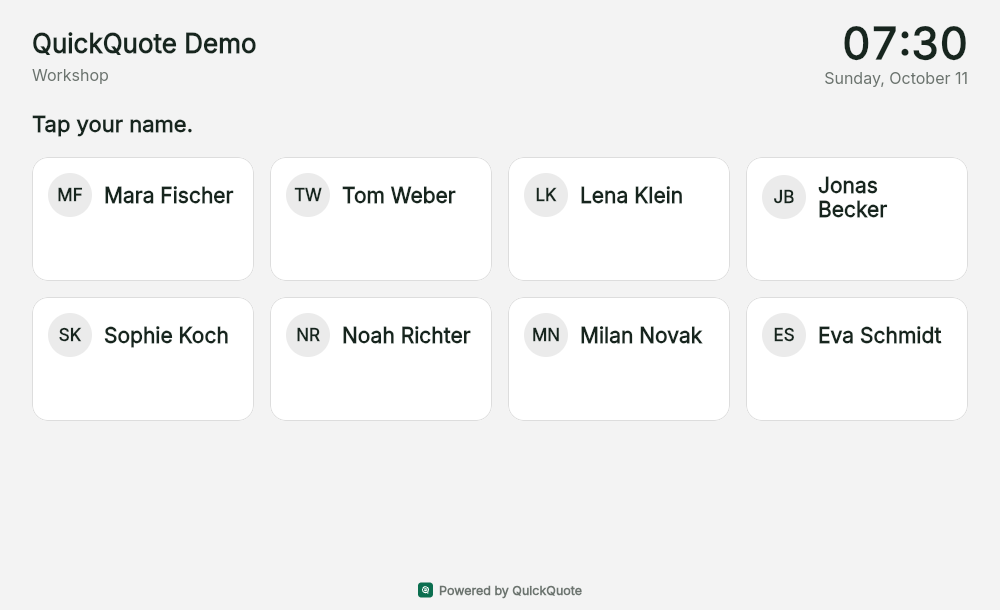
A tablet at the entrance. A name. A PIN. Your team clocks in before starting work and clocks out when the day is done.
Choose a step to view it, or click the tablet to try it yourself.
Try the time clock
Any four-digit PIN works in this demo. Sample people only. No real time records are saved.
Included in the free planner for up to 10 people including the owner.
Set up the kiosk link and personal PINs in QuickQuote. No employee account is signed in on the tablet. An internet connection is required for clocking.
Start for free (for businesses only)Time tracking in your business
Three ways to clock in and out. All records come together in QuickQuote, including in the free planner.
A compatible Datafox terminal sends clock records directly to QuickQuote over an encrypted connection. No PC running collection software and no manual collection of records. Set up the connection once, then new records arrive automatically.
For compatible Datafox terminals with HTTP mode. Check the model and firmware before setup. Datafox Studio is needed for the initial configuration. Existing records can also be imported from a file.
Open the kiosk link on a tablet, select your name and enter your personal PIN. Confirm clock-in or clock-out, done. No employee account is signed in on the shared tablet.
Set up tablet access and PINs in the time clock settings. The tablet needs an internet connection to record clock events.
People connected to the approved company network can clock in and out directly in the app. QuickQuote checks the connection on the server. Your team continues to record job hours against the relevant site.
The owner configures the allowed company network. This clock-in method is for your premises; recording job hours on site remains separate.
The software feature is free for up to ten people including the owner. Hardware, internet and setup of existing devices are not included.
Present and booked
The time clock shows attendance. Your installers continue to assign their working hours to job sites. At approval and in the monthly overview, you can see both side by side and resolve differences.
Clock records do not automatically become billable job hours. Corrections to clock records by the office, boss or owner require a note and are logged.
Office, workshop and job site
Office work is working time too. In QuickQuote, you record your own office hours and manage your team's time entries in the browser.
Enter start, end, break and activity. Without a job site, book internal company time, for example for office work or the workshop.
Office staff, the boss and the owner can record hours for colleagues. The person who created the entry remains identifiable. Entries added for colleagues are submitted for review.
Check submitted hours, approve them or return them with a query. View hours by period, employee and job site, then export timesheets or monthly summaries for further processing.
This time tracking is included in the free planner for up to ten people including the owner. The owner can optionally enable time entry drafts from completed clock-in days for office staff, the boss and the owner. Each person reviews and submits their own draft.
Live from the app
No slip in the glove box, no typing it up on Friday. The installer books on the job: start, end, break, or simply the number of hours. Company time without a site (workshop, travel, office) works the same way. The app calculates the hours and points out missing breaks.
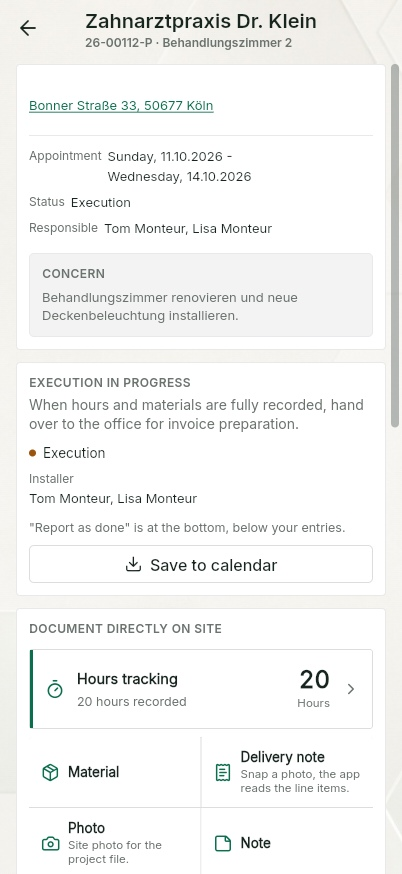
Assign start, end and breaks to the relevant project. Manual entry is free; AI voice notes are part of Pro.
Installer and customer sign on the device while everyone still knows what was done.
Submitted hours go to the boss for approval. In Pro, invoice preparation warns about hours that are not approved yet.
Why digital
In many businesses, working hours only reach paper at the weekend: estimated, illegible or forgotten altogether. The office types them up, chases people for answers and still ends up relying on the crew's memory. When the invoice goes out, the hours nobody wrote down are simply missing.
QuickQuote records the times where they happen: on site, on the job they belong to. Every entry has a start, an end and a break, sits on a specific site and is visible to the office straight away. The job comes from free job scheduling; materials can also be recorded manually on the same job for free.
Useful context
The record should explain both when someone worked and what happened on the job.
Operating in Germany? Read what the 2027 deadlines mean for time tracking, e-invoices and payroll documents.
A working-time record documents the employee’s start, end, breaks and duration. A signed daywork sheet also documents the work and material for the customer. QuickQuote keeps both kinds of information on the same project without treating them as the same document.
German working-time and minimum-wage rules can create additional recording and retention duties depending on the business and employment type. Under section 17(1) of the Minimum Wage Act (MiLoG), where it applies, start, end and duration must be recorded by the end of the seventh calendar day following the day worked and kept for at least two years. QuickQuote records start, end and breaks per employee and project; your chamber, trade association or legal adviser can confirm which duties apply to your business.
Official sources: BMAS: working-time records, § 17 MiLoG, § 16 ArbZG, § 22 ArbZG, § 21 MiLoG.
Right on the job
The same time recording in the browser and in the iOS and Android app. An entry you have started stays on the device for a day, until you save or discard it.
With QuickQuote Pro: If you would rather not type, just talk: a voice note takes working time, the work done and material in a single sentence. Colleagues' hours can be included too, and the AI assigns them to the right people.
Three views, one status
Books on the job, sees "My hours" by week, month and year, gets approval or return as a notification.
Sees "Hours to review" on the home screen, approves in review mode, corrects with a reason, sees everyone's weekly target.
Team overview by period, employee and site, records hours for others, exports the hours overview as PDF.
Reporting
The week grid shows the total per person and day, split into open, submitted and confirmed. The weekly target compares planned and actual hours by the person's work schedule; vacation, sickness and public holidays are credited. Vacation planning for trades
The hours overview can be exported as a PDF and goes straight to your records or your tax adviser.
With QuickQuote Pro: The boss additionally sees the billing view: which hours have already been invoiced and which are still open. And before an invoice goes out, the AI can compare the invoice against the recorded times and flag missing hours.
Languages
On many sites, crews work with Polish, Romanian, Turkish or Croatian colleagues. That is exactly where time tracking for trades usually breaks down: not on the technology, but on the language.
Everyone picks their own app language. The company language sets the labels on timesheets and invitations. Texts you write yourself stay in their language in the free planner; AI dictation and translation are part of Pro.
Frequently asked questions
Yes. You can record your own office work as company time without a job site, with start, end and breaks. Office staff, the boss and the owner can also add hours for colleagues. These entries are submitted for review and the person who created them remains identifiable. These features are included in the free planner for up to ten people including the owner.
Yes. Job hours, breaks, company time, approval, manually recorded materials, timesheet PDFs and the time clock are free for up to ten people including the owner. No payment details and no trial that expires. A tablet or terminal and its setup are not included in the free software access.
There is no trial and no subscription that starts by itself. Any change to the free access is governed by the terms, with notice by email and the chance to export your data.
Then you need QuickQuote Pro: 89 EUR a month plus VAT for the owner and two team licences, up to ten installers per company included, further seats per role. Hours and timesheets stay the same.
In the free planner you book and approve hours; you write the invoice elsewhere. In QuickQuote Pro the hours page hands approved hours and materials to invoice preparation.
QuickQuote uses encrypted transfer and role-based access. Database and server-side functions are set up in European regions; individual services may also process data outside the EU. Providers and safeguards are listed in the privacy policy and the DPA.
Yes. Booking hours, approval, manually recorded materials and timesheets run without Pro. Pro adds the material catalogue, AI dictation, translation and the handover to invoice preparation.
In Germany, there is currently no general requirement to use an electronic format. Employers must generally record employees’ daily working time using an objective, reliable and accessible system. Handwritten records can also be used. QuickQuote’s ten-person free-plan limit is a product limit, not a statutory exemption. Checked: 15 October 2026.
Project and customer, date, employee, start, end and breaks, plus the documented work. The timesheet is generated straight from the recorded times. Nobody has to type up paper notes in the evening.
Yes. Signatures can be added to the timesheet directly on the device. The free planner lets you download the PDF with company-language labels and share it yourself. Additional document and sending features are part of Pro.
Each person can use the app in their own language. The company language controls timesheet labels and team invitations. These settings are free. They do not translate your own work descriptions; AI dictation and automatic translation are part of Pro.
Sign-in, approvals and the shared data need internet. In the apps an entry made without signal stays as a draft and goes out later; in the browser wait for the confirmed save.
No. QuickQuote records and checks the times in the day-to-day workflow. Payroll and accounting stay in your existing systems. The approved hours give them a clean basis to work from.
Yes. Set up a tablet kiosk in QuickQuote and open its link on a tablet with internet access. Employees select their name, enter their personal PIN and confirm clock-in or clock-out. The feature is included in the free planner for up to ten people including the owner. You provide the tablet.
Direct integration is intended for compatible Datafox terminals with HTTP mode. It has been tested with the Datafox EVO 5.0 Flex running firmware 04.03.23. Check the model, firmware and device settings before switching. Not every time clock is directly compatible; existing records can also be imported using a configured file template.
No. Attendance and booked job hours remain separate and can be compared. Installers continue to book their time against job sites. For office staff, the boss and the owner, optional time entry drafts can be created from completed clock-in days. The feature is off by default; the person reviews and submits the draft themselves.
Keep reading
Week plan, bars, crews, customer appointment, absences in one view.
Free job schedulingVacation request, sick leave, special leave, vacation account.
Vacation planning for tradesTimesheets and approvals free for up to ten people including the owner. QuickQuote Pro from 89 EUR a month plus VAT, cancel monthly.
Pricing: free planner, Pro from 89 EURSee it first. Then decide.
No installation and no payment details: free for up to ten people including the owner. Before that, you can record hours as an installer and approve them as the boss in the demo, no account required.
App views use this language. Example names, project data and sample PDFs may remain in German.