Visible before the day ends, not days later.
Not another ERP
We make your old one finally smart.
Four roles. One workflow. Fewer questions.
Every trade business runs through the same life cycle: inquiry, site visit, quote, approval, execution and invoice. Without clean handovers, information gets lost between office and job site. QuickQuote holds the entire project flow together in one system, alongside your ERP.
Your digital office
The whole business, in one interface.
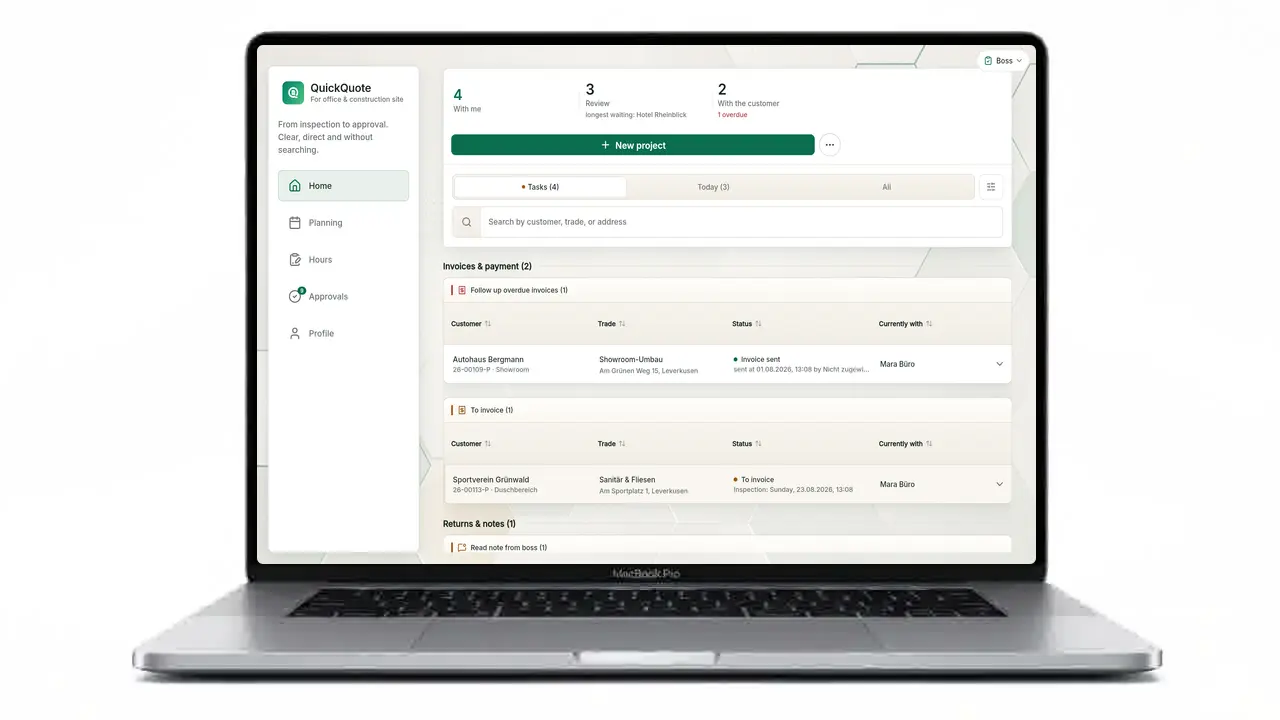
- All projects and appointments at a glance
- The site visit becomes the quote
- Quotes and invoices straight from the data
- Review and approve as PDF
- One system for the whole workflow
Always with you · Job site
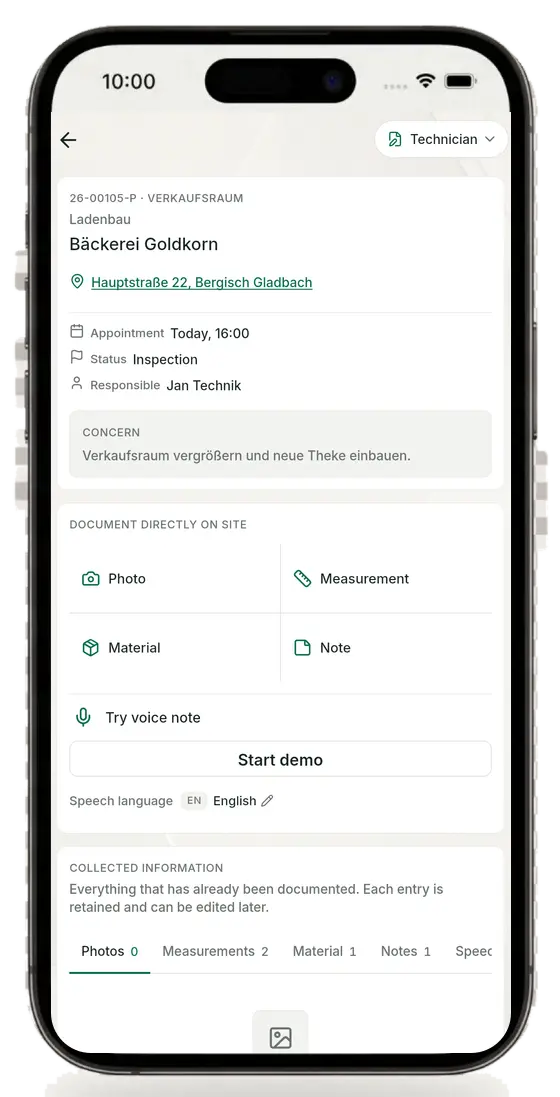
And all of it, right on the job site.
- Capture everything on the job, on site
- Photos, measurements, material and notes right on the project
- No notebook, no gallery, no chat chaos
- Voice notes with AI in 25 languages
- The whole business, in your pocket
Nothing gets left behind
QuickQuote does not just show what the business completed. It shows what nobody is handling yet.
Missing hours, a finished job without an invoice, a sent invoice with no payment check, or a job that still needs scheduling: QuickQuote makes the next step and its owner visible. You see not just individual jobs, but how the business is running and where the bottleneck sits.
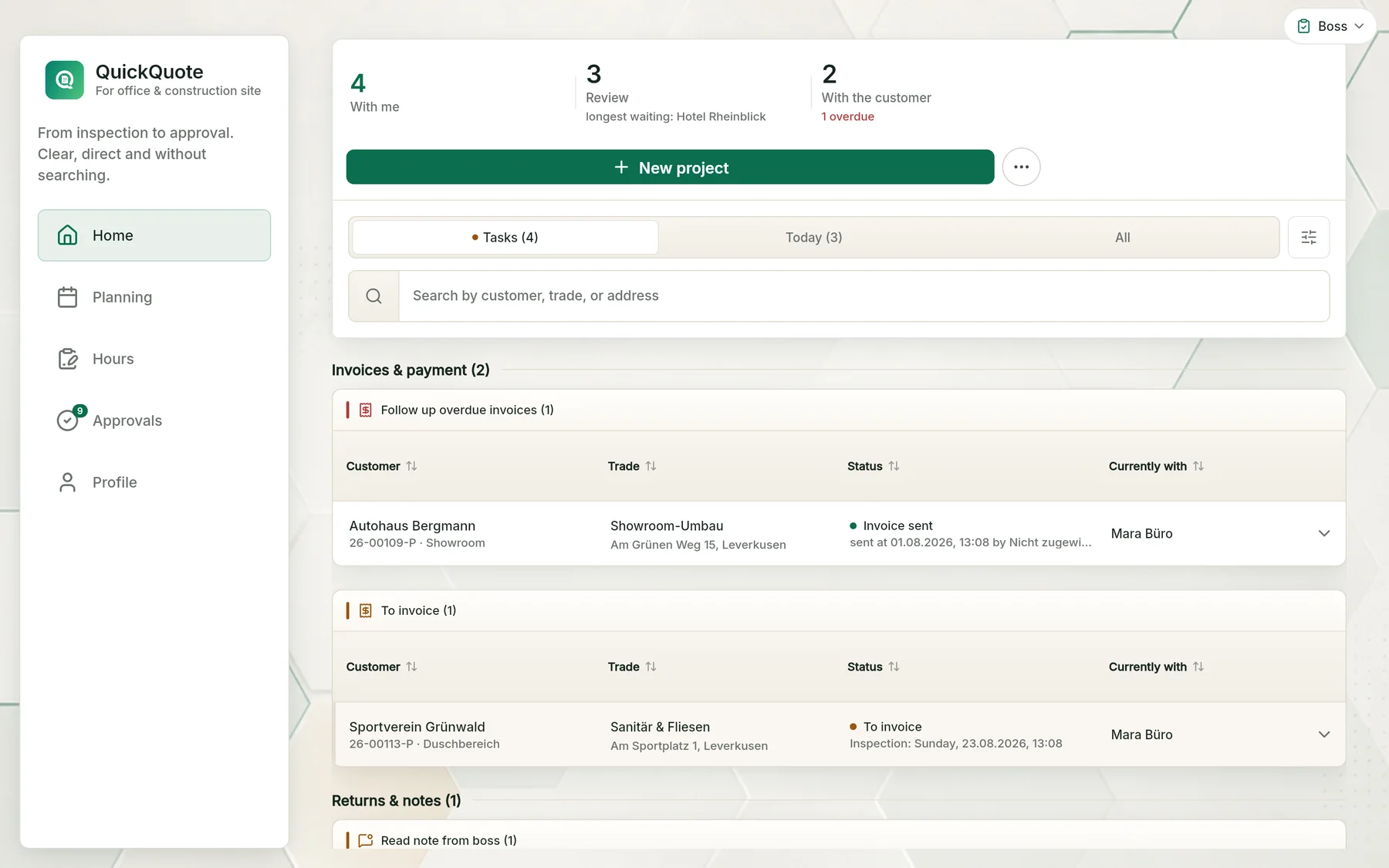
Completed work no longer sits unnoticed.
Sent does not automatically mean paid.
The next job visibly waits for a slot.
No business runs perfectly all the time. What matters is making open work visible before it becomes a problem.
See the operating workflow in the demoSee the full app right in your browser today.
No installation, no sign-up needed. Click, try it, and see for yourself how a job moves through the business.

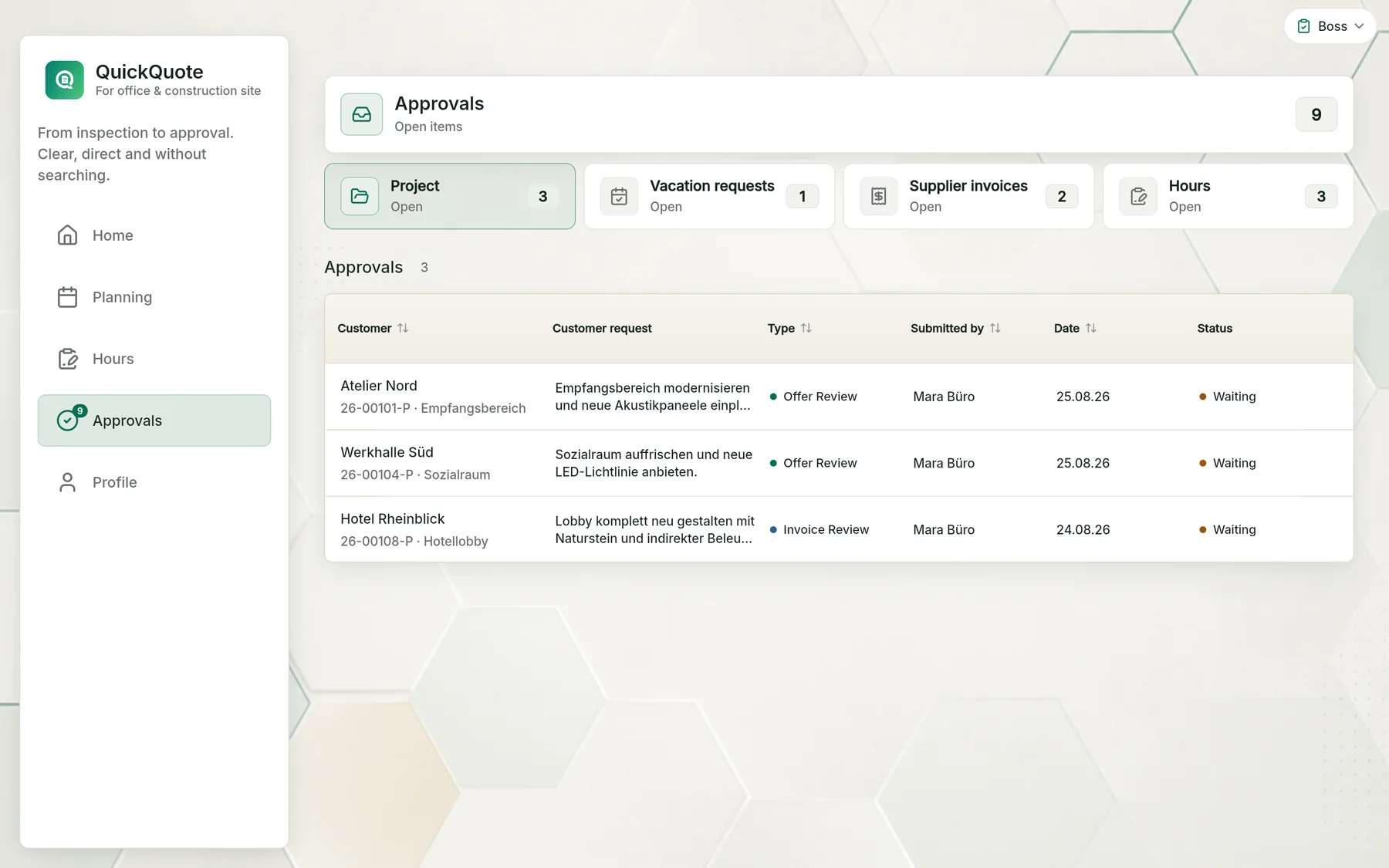
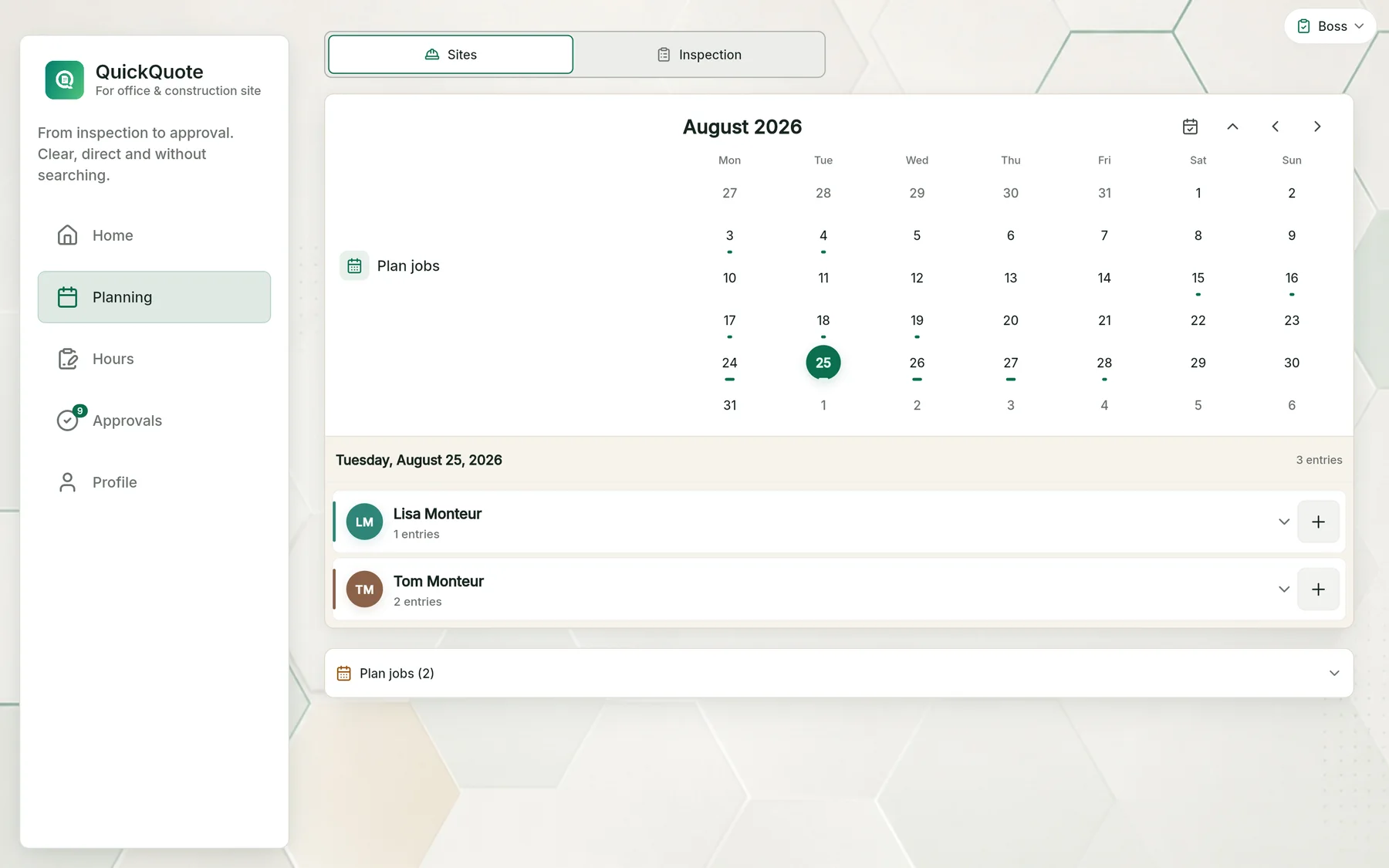
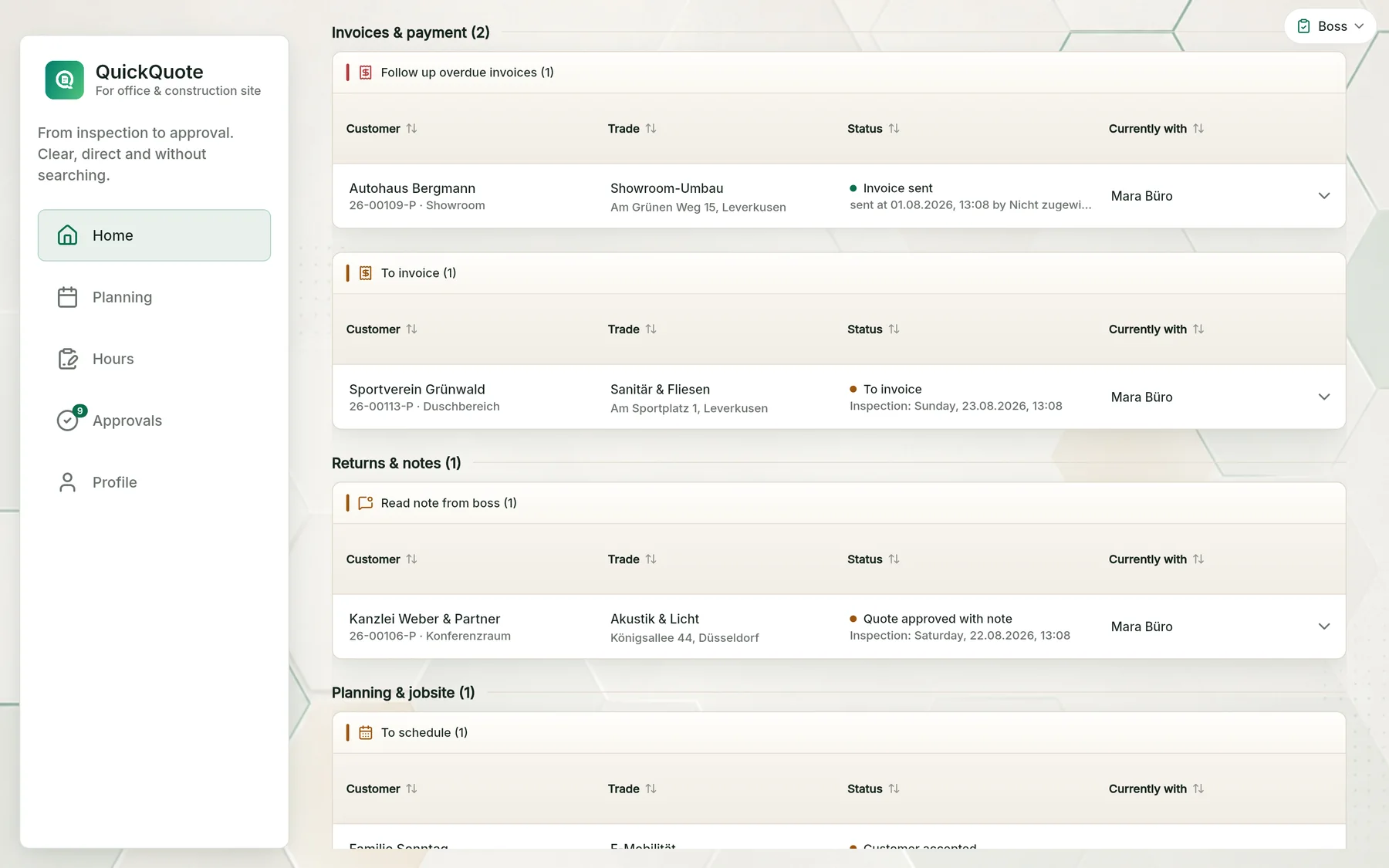 Home: everyone sees what is on their plate
Four roles. Everyone knows what to do.
QuickQuote organizes the handovers between job site, office and boss. Everyone sees exactly their part, without anyone having to ask around or search.
Technician
Capture on site, and run the job if needed.
Photos, measurements, material and notes land right on the project. Ownership and status stay visible, and the office keeps working with the same data. When the technician is assigned, they also handle the execution on site.
Office
The site visit becomes preparation.
The office sees the captured basics and prepares the quote or invoice from them. Handover to the boss as soon as the documents are ready.
Boss
Review, approve or send back.
The boss decides based on the right documents, not scattered messages. Review the quote or invoice as PDF, approve it or send it cleanly back to the team.
Installer
Log execution and hours cleanly.
On the job site, execution, material and time are documented. Timesheets can be signed, in the company language if needed.
Features in detail
One workflow, the right tools.
Every feature has its own page with real app views. See how QuickQuote maps your day-to-day.
In every base licence
Every feature included. Everything connected.
Site documentation, scheduling, hours, leave, quotes and invoices work together in one workflow and are included in every base licence. No add-on modules. No separate feature bundles.
See transparent pricing
01
Jobs & documents
Overview
Job management
The complete path from site visit through quote and boss approval to invoice PDF and payment status, alongside your ERP.
Learn moreSite documentation
Capture photos, measurements, materials and notes right on site, sort them with AI voice notes and hand over to the office.
Learn moreAI quotes & invoices
Create editable AI drafts and PDFs or import them from your ERP, then track approval, sending and payment.
Learn more
02
Planning & team
Job scheduling
Jobs with ownership, status and project data. Installers document on mobile, the office keeps working with the same information.
Learn moreTimesheet app
Record start, end and breaks on site, get signatures on the spot and only invoice hours the boss has approved.
Learn moreLeave & sick notes
Holiday requests and sick notes right in the app. The boss decides, the leave account tracks entitlement and remaining days automatically.
Learn moreOne plan for Technician, Office, Boss and Installer.
The base licence covers a team of three: owner plus two team seats included.
€89 / month for the starter team
Additional seats by role: Office, Technician or Boss €29, Installer €19 per month.
Cancel monthly, no minimum term. All prices excl. VAT.
- Every feature included: no add-on modules
- Your own company workspace
- Unlimited projects, site visits & jobs
- Approve quotes and invoices internally
- Material & hour logging for installers
- Access on Web, iOS and Android
No minimum term
Cancel month by month whenever you want, directly in the app.
Unlimited projects
No limit on site visits, installer jobs or invoices. All included.
GDPR-compliant
Data stored in the EU. SSL-encrypted, Stripe as payment provider.
Alongside your ERP
QuickQuote structures the path from intake to billing alongside your ERP.
What trade businesses want to know before the first login.
Short, honest answers. No marketing fluff.
How much onboarding does my team need?
Not much. The workflow follows what happens in the business anyway: inquiry, site visit, quote, job, invoice. Anyone who has used an app before is productive after 15 minutes. A guided initial setup is included anyway.
Does QuickQuote replace my ERP or my accounting tool?
No. QuickQuote can create quote and invoice drafts with PDFs itself or import existing ERP documents. Accounting, tax and payroll can stay in the systems where they already run.
What about data protection and GDPR?
Data is stored in the EU, transmitted SSL-encrypted, and only shared with recipients you explicitly approve. Payment processing runs through Stripe. There is a data processing agreement (DPA) you can sign in self-service.
How do I cancel if it doesn't fit?
Through your account area. Since billing runs through Stripe (Apple doesn't allow direct cancellation from iOS apps), you'll be redirected to a secure Stripe link where you can cancel with one click. No minimum term, you cancel at the end of the current month. You can export your project data beforehand.
Does it also work without internet on the job site?
The mobile apps buffer captures locally when the network is gone and sync on the next signal. For most site visits and jobs, that's practical, especially in basements, boiler rooms or new builds.
How quickly can I start?
Create workspace, owner login, invite first staff, go. A demo runs directly in the browser without an account. If you decide to move forward, you're in real operation the same day.
What happens to my data if I switch later?
All project data can be exported, and PDFs of quotes and invoices are already with you and in your ERP. QuickQuote is a tool, not a hostage.
I'm a solo master craftsman. Is it worth it at all?
If you juggle between job site, quote and phone and lose more jobs than you'd like: yes. The workflow doesn't force anything on you, it relieves the points where today you write over, forget or react too late.
Ready to start?
Look first. Decide later.
No onboarding call, no long setup. Open the demo and see in 3 minutes whether QuickQuote fits your business.