Capture on site
Add photos, measurements, materials and notes directly to the job. AI voice notes can be recorded in the installer's language. See the site documentation app.
One system for the whole job
QuickQuote brings site capture, AI quote and invoice drafts, field work, PDFs and payment status into one clear workflow. Your field team, office and owner work from the same project record.
The approvals hub
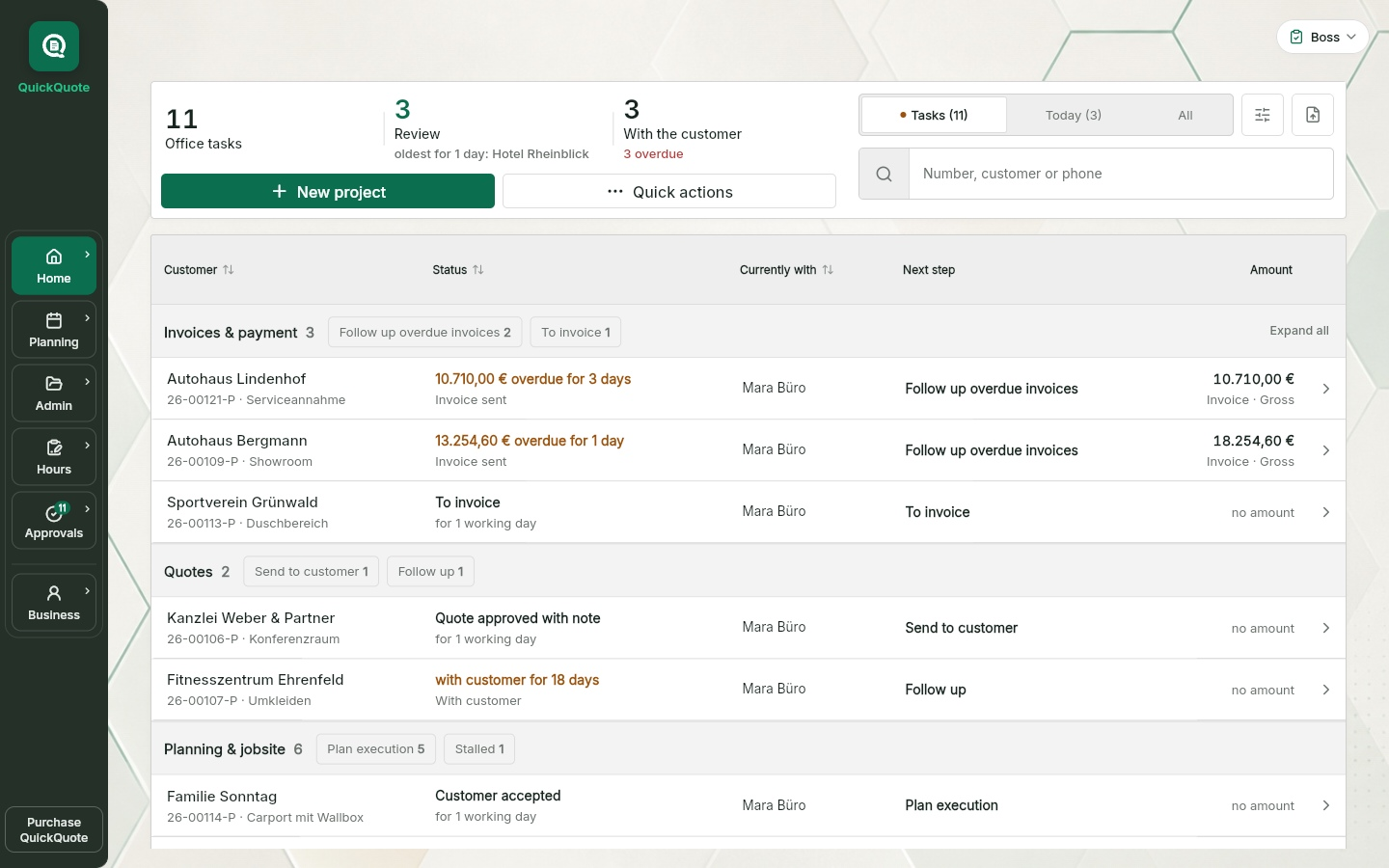
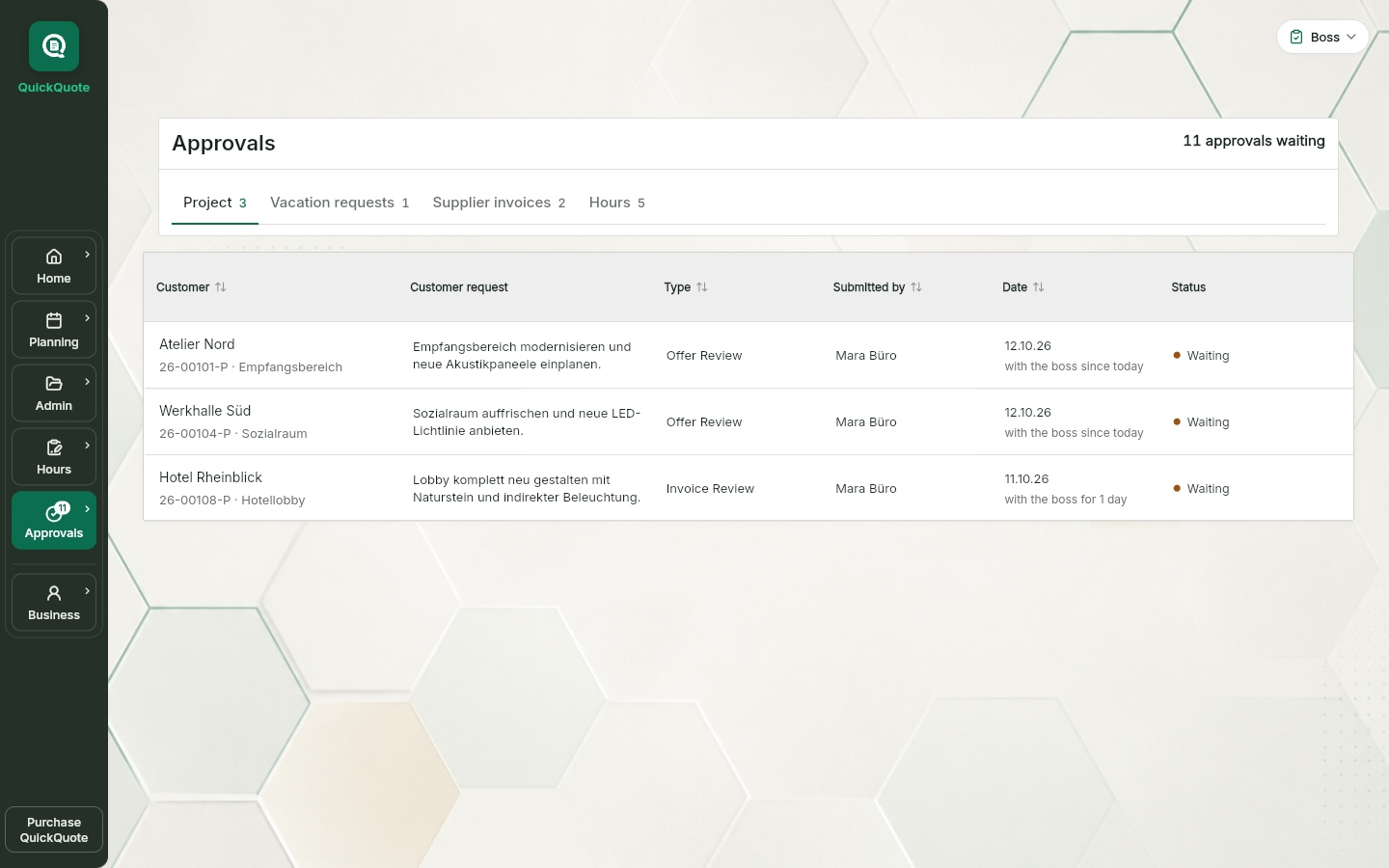
Quotes, invoices, submitted hours, vacation requests, supplier invoices: in most businesses that lives in shouts, chats, mail and paper. Here it all lands in one view.
Every document waits in its queue, with a counter for what is open.
Submitted time and requests run through the same approval as the documents.
Approve or return with a reason, the decision stays documented on the job.
The usual breaks in the process
Not in the work itself, but in the handovers between site, office, field team and owner.
Job site
Photos sit in the gallery, measurements on paper and the important detail in someone’s head. When the quote is written later, the office has to chase the missing information.
Office
A PDF, three voice messages and a question end up in one group chat. Later, nobody can tell which version was actually approved and by whom.
Field team
Timesheets are collected at month end. Until then, the office cannot see whether a job is drifting or whether extra work still needs to be billed.
Owner
The owner knows where everything stands. When that person is on site or unavailable, the office waits because there is no shared view of the job status.
A connected workflow
Keep the enquiry, site visit, quote, approval, work, invoice PDF and payment status connected. Information stays with the job as it moves between the field and the office.
From site to office
Each role continues from the same project record. A site visit becomes usable job information rather than a collection of photos, notes and follow-up questions.
Add photos, measurements, materials and notes directly to the job. AI voice notes can be recorded in the installer's language. See the site documentation app.
The office uses the same information for an editable quote or invoice draft with the quoting software for trades and sends the document for review.
The owner reviews the quote or invoice as a PDF, approves it or returns it to the right team member.
Field staff document completed work, materials and hours on site. Timesheets can be signed, while job scheduling keeps assignments clear.
The mobile apps store new entries locally and synchronise them when the connection returns.
Use the browser at the office and the iOS or Android app on site. With an internet connection, both see the same project status. Scheduling, time tracking and timesheets are free for up to ten people including the owner. QuickQuote Pro adds site documentation, quotes and invoices.
One job, four roles
Captures photos, measurements, materials and notes during the site visit.
Prepares the quote or invoice information from the project record.
Reviews documents and decides at the intended approval points.
Records completed work, materials and hours against the job.
Your way of working
You do not need an existing ERP to use QuickQuote. Organise day-to-day work directly in it, or use selected workflows alongside your existing systems.
Schedule jobs, record working hours and manage absences directly in QuickQuote. Pro adds site documentation, quotes and the invoice workflow with internal approvals.
With Pro, create quotes and invoices in QuickQuote or attach existing PDFs to the project. Your office can then use documents from another system in the same approval and status workflow.
QuickQuote connects day-to-day work in the office and on site. Continue to use suitable solutions for financial accounting, tax and payroll. Any other systems you need depend on the tasks your business handles.
Site chat in the web app
In the internal site chat, site and office communicate directly on the Pro project. Text and photos stay with the right job instead of getting lost in another group.
Available in the current web app. In the mobile apps, availability depends on the installed store version.
The chat is for internal communication. When notifications are enabled, new messages can trigger a push notification. Customer chat, audio messages and read receipts are not included. The chat is not available in the free planner, even with the storage package.
Text and one photo per message, with the sender and time in a shared history.
Owners, bosses and office staff can access all their company’s chats. Technicians and installers see the chats of their assigned projects.
After project completion, authorised people can still read the history; new messages are disabled.
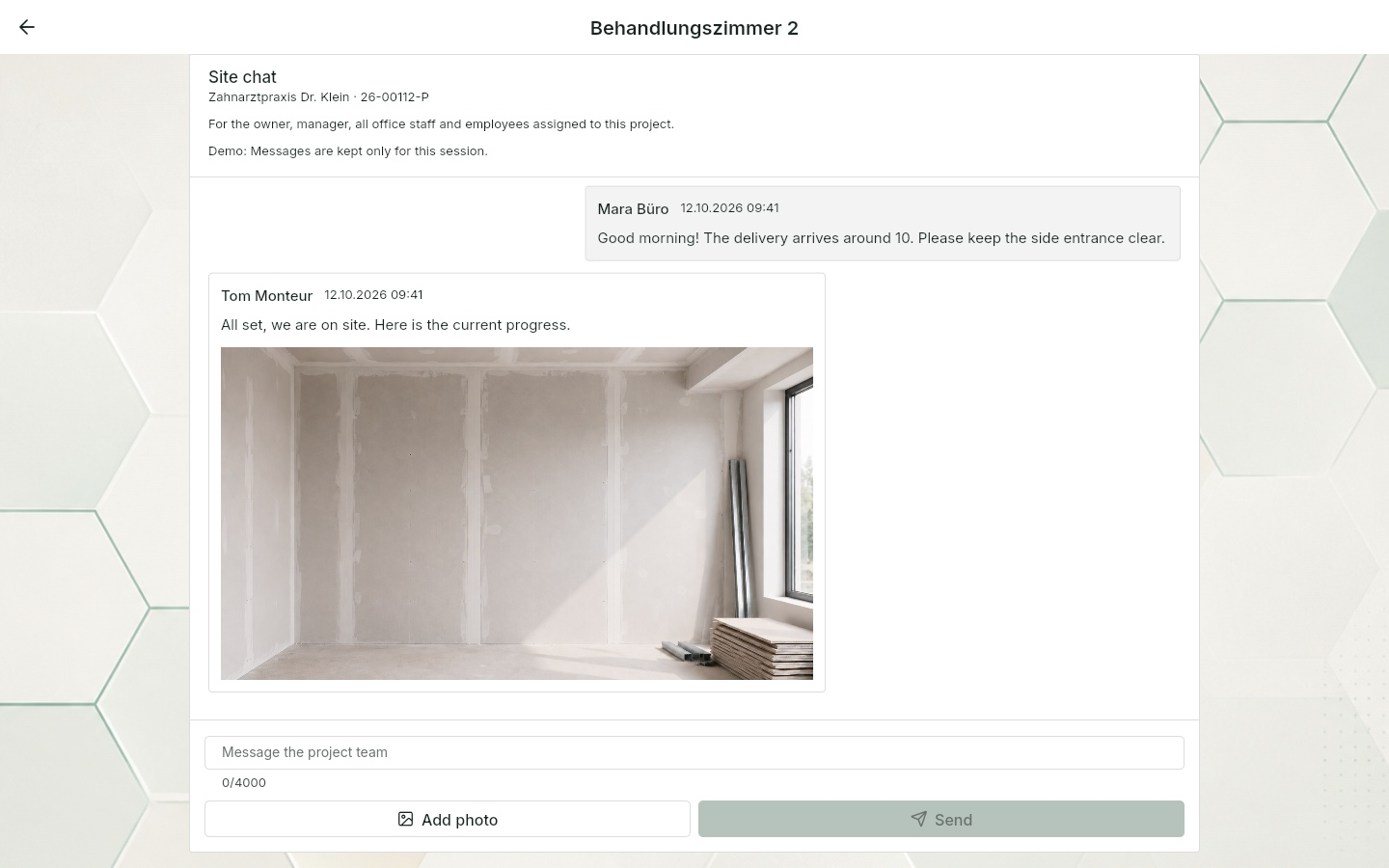
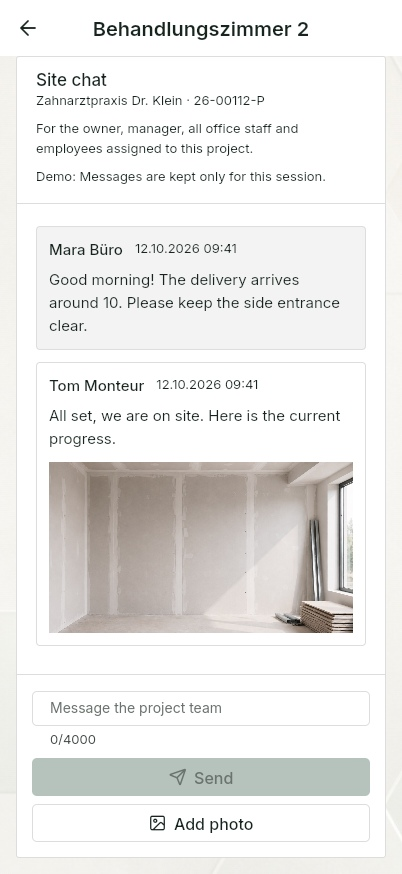
Current web app on computer and smartphone. Example project without customer data.
Under “Export company”, the owner can create a ZIP with JSON and CSV data, including projects, customers, document records, scheduling, hours, absences and work schedules. The scope depends on the enabled areas and read permissions.
Photos, PDFs and other files are not embedded. Chat messages are currently not included. The archive lists skipped areas; save any files you need separately.
Practical rollout
Start with a complete route through the business instead of a classroom session.
The expensive gaps are the handovers: technician to office, office to owner, field team to invoice. Good job management software carries the same job through those handovers without rebuilding the context each time.
Use QuickQuote on its own for scheduling, hours and absences. Pro adds documentation, quotes and the invoice workflow. You can optionally take in existing quote and invoice PDFs; financial accounting, tax and payroll remain separate tasks.
Take one live job from site visit to invoice PDF and payment status. Add the owner and office first, then one technician, then the field team. Each later role sees a smaller, simpler part of the workflow.
The browser demo works without an account, so the team can walk through the route before making a decision.
Data and commitment
QuickQuote uses encrypted transmission and role-based access. The database and server-side functions are configured in European regions; individual services may also process data outside the EU.
Complete the data processing agreement without waiting. Our privacy policy explains the processing.
Project data and documents created in QuickQuote can be exported. Imported ERP PDFs remain in your ERP as well.
There is no minimum contract term or notice period and no setup fee.
Pricing
The Pro base licence costs EUR 89 per month plus VAT and includes the owner account with boss rights, two team licences and up to ten installers per company. Projects, site visits and jobs are not capped in Pro.
Additional office, technician and boss seats are EUR 29 per month; from the eleventh installer a seat is EUR 19. There is no setup fee, no minimum term and no trial with an expiry date; cancel for the end of the current billing period. See the full breakdown and configurator on the pricing page.
In preparation
As of 14 October 2026. These additions have not been released yet. The order may change; no release dates have been confirmed.
In development
New filters for your own projects and entries without an assigned reviewer, plus clearer target/actual and monthly summaries. A running overtime account with carry-over is a separate planned addition.
The plan is to let the owner choose whether to share the current month with the payroll office, clearly marked as provisional and showing hours not yet approved. Employee contact details and targeted notifications to the responsible reviewers are intended to make follow-up easier. Exports will remain limited to closed months.
Prepared for the next update
Save the internal conversation as a PDF with photos and download photos from the chat together. Important discussions should then be available outside the app too.
In development
Selecting individual items from existing quotes has been prepared. Reference quotes, variation quotes linked to the main job and order confirmations are planned next steps.
The plan is for the boss to mark notes at a specific point in the PDF, with office staff able to jump to that location and tick off resolved points.
Planned
Archive packages with original files, copies to an archive mailbox and storage in an office folder. A later archive agent is intended to save additional copies on an office PC, server or NAS. QuickQuote remains a cloud application.
Planned
A personnel overview is intended to bring together contact details, work schedules, leave and existing supporting documents for each person. A complete digital personnel file with additional documents is a later addition.
Planned
An internal quote chat for the owner, boss and office staff, clear queries on documents and traceable price sources. Automatic project numbers are intended to make jobs easier to identify.
Frequently asked questions
No. You can manage scheduling, working hours and absences directly in QuickQuote. Pro adds documentation, quotes and the invoice workflow. You can optionally take in existing quote and invoice PDFs. Financial accounting, tax and payroll still require suitable solutions.
Use QuickQuote alongside other software for scheduling, hours or the job workflow. With Pro, attach existing quote and invoice PDFs to a project and move them through the approval and status workflow. Taking in a PDF does not create an automatic data connection to the other system.
The mobile apps store captured information locally when the connection drops and synchronise it when the signal returns.
Start with one live job and take it from site visit to invoice PDF and payment status. Once that route is clear, add the office, technicians and field staff step by step.
Each role sees only the part it needs. Technicians and field staff work with assigned jobs, site capture and time entries without navigating office or owner functions.
QuickQuote uses encrypted transmission and role-based access. The database and server-side functions are configured in European regions; individual services may also process data outside the EU. Providers and safeguards are described in the Privacy Policy and DPA. The business accepts the DPA during registration or ordering.
Project data and documents created in QuickQuote can be exported. Imported ERP PDFs remain in your ERP as well. There is no minimum term or notice period.
Job scheduling, time tracking with the time clock, timesheets, manual material recording and absences are free for up to ten people including the owner. QuickQuote Pro costs EUR 89 per month plus VAT for one owner and two team licences, up to ten installers per company included. Extra Office, Technician or Boss seats cost EUR 29 and from the eleventh installer EUR 19 per month. See the pricing page for details.
Yes. The browser demo can be opened without installing anything or creating an account.
See it before you decide
No installation and no account required. See how a job moves from site visit to invoice PDF and payment status.
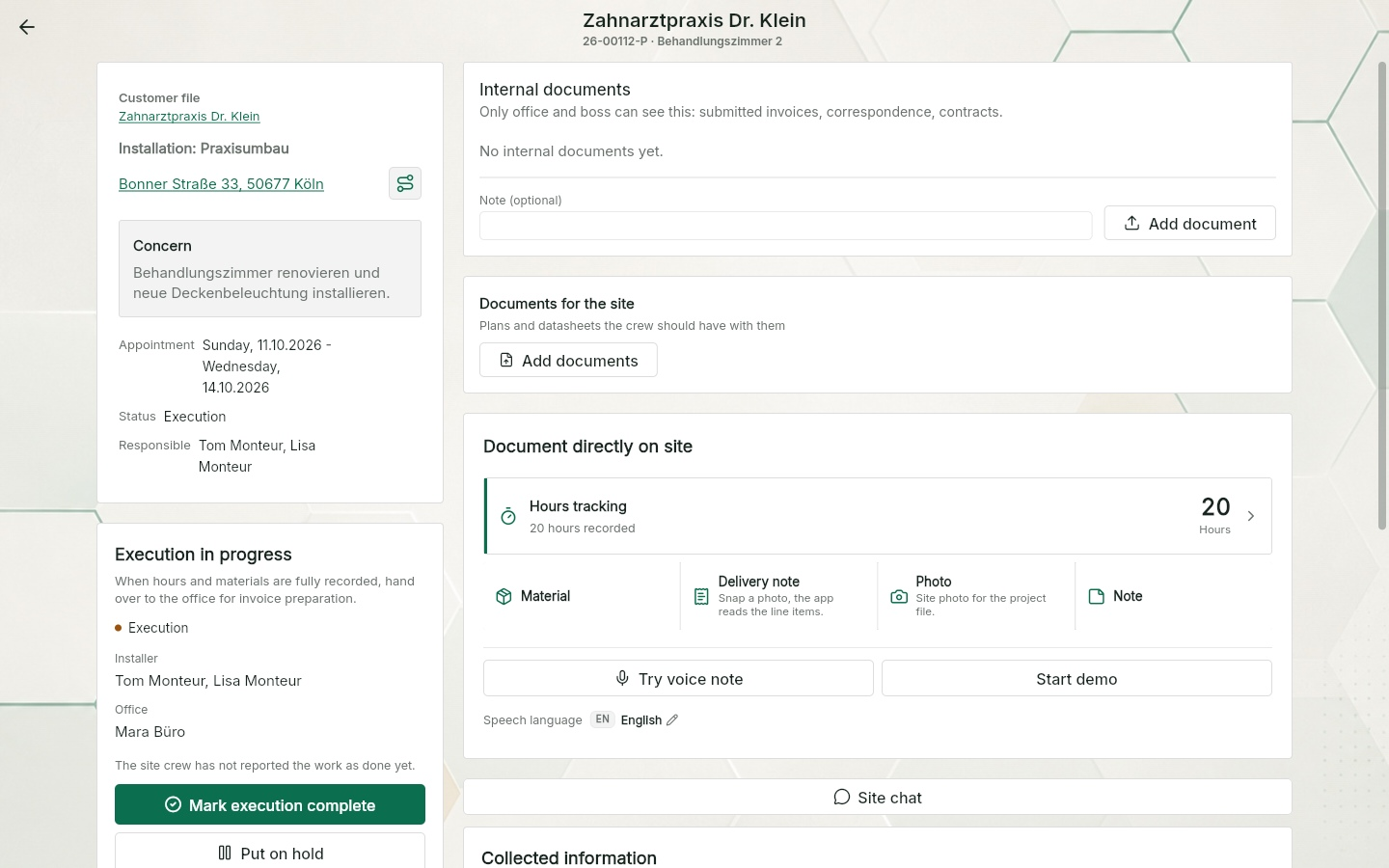
App views use this language. Example names, project data and sample PDFs may remain in German.