Create it in QuickQuote
Review the AI draft, add line items, assign a quote number and save the PDF to the job.
From site visit to payment.
QuickQuote turns job-site data into editable quote and invoice drafts. Create the PDF directly in QuickQuote or import existing documents from your ERP. Approval, sent status and payment follow-up stay visible on the job.
Settle in and work in the browser on your laptop
One workflow. Three devices.
QuickQuote is quoting software for trades that keeps working wherever you are: on site with your phone, on the move with a tablet, or settled in at your laptop. Draft, line items and PDF stay on the same job.
Photos, measurements, materials and voice notes become an editable AI quote draft.
Adjust line items, quantities, prices and descriptions on your phone or tablet.
See the PDF and line items side by side on your laptop. Review, number and save the quote.
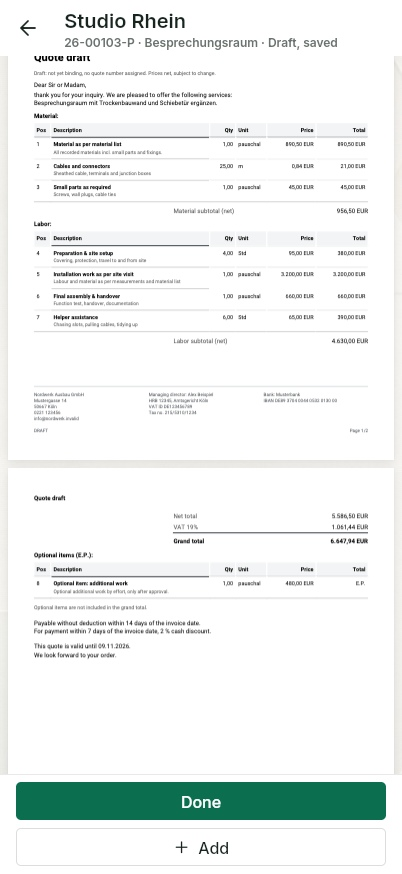
App view on a phone: edit the quote draft.
Two routes, one workflow
QuickQuote turns the site visit (site documentation) into an editable AI draft. Tap to change line items, quantities, units and prices; the quote PDF updates immediately.
Review the AI draft, add line items, assign a quote number and save the PDF to the job.
Upload an existing quote or invoice PDF and continue through the same approval, sending and status workflow.
The document journey
Whether it is a QuickQuote PDF or an ERP document, every step stays documented and visible to the team.
The technician captures photos, measurements and materials on site and speaks the rest as a voice note. The AI structures everything on the project.
AI creates an editable draft, or the office imports an existing quote PDF from the ERP.
Work, quantities and prices are checked and adjusted. The finished PDF stays visible right on the job.
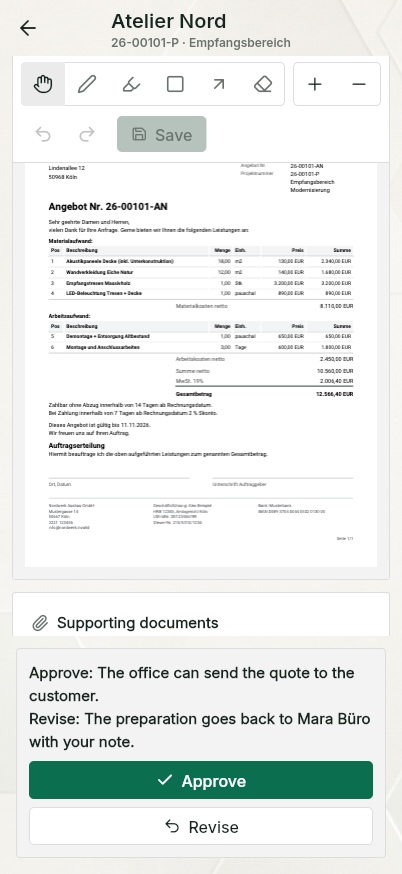
The boss approves or returns the document with a note. It is then recorded as sent to the customer.
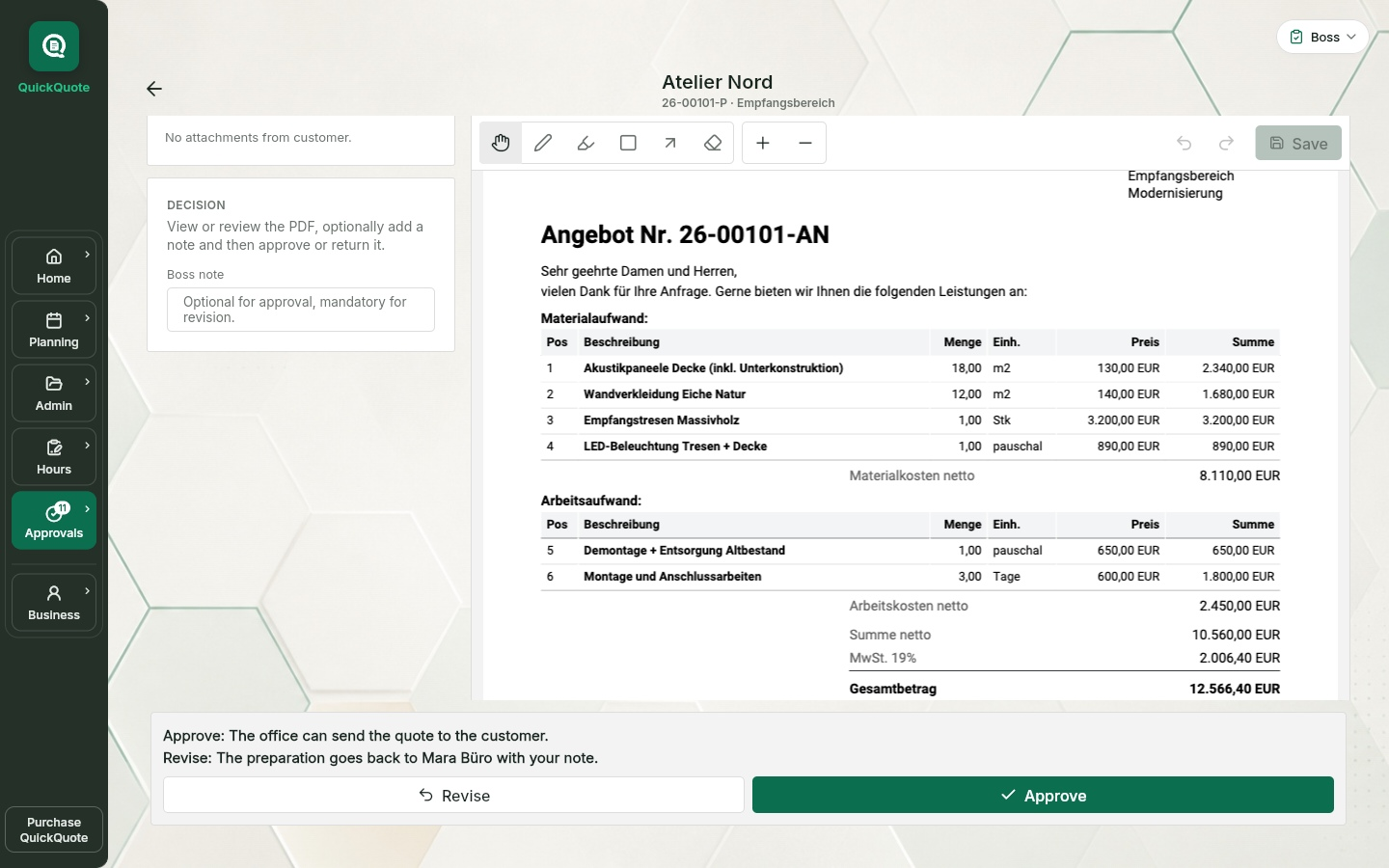
App view on a phone: review the quote at the project.
The approval
PDFs created in QuickQuote and PDFs imported from the ERP use the same workflow. The boss sees the document right in the app, can mark passages, comment and return it with a clear note instead of dictating changes over the phone.
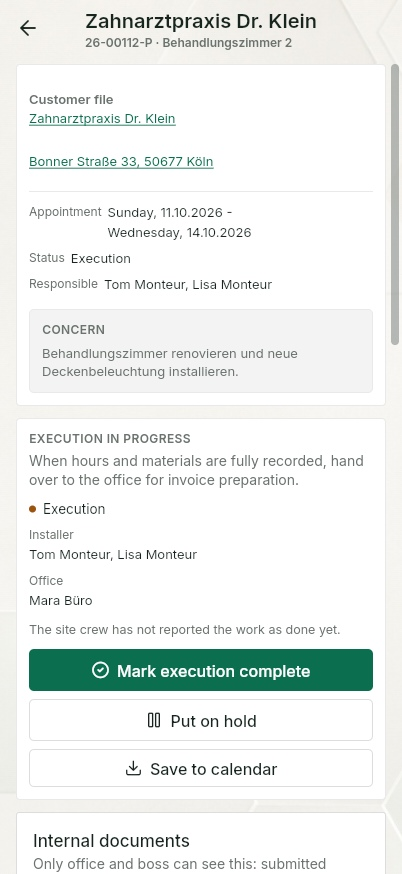
If he approves, the office sends it out. When the customer accepts or declines, that is documented on the project. On acceptance, the project moves automatically into execution, where installers see their jobs with all the data.
After the work
QuickQuote uses the quote, approved hours, materials and job data as its starting point. Review the editable draft and create the invoice PDF. Alternatively, import an invoice already made in your ERP.
Job work, approved hours and materials become an adjustable draft and PDF.
Create the invoice in your ERP and attach it to the same QuickQuote job.
Important: QuickQuote reminds the team to check. Your business still confirms whether payment has arrived.
Frequently asked questions
Yes. QuickQuote turns job data into editable quote and invoice drafts. You review line items and prices before creating the PDF.
Yes. Review and edit the same quote draft on your phone or tablet, then continue in the browser on your laptop. Line items, prices and the PDF stay on the same job.
Yes. Create the document directly in QuickQuote or import an existing quote or invoice PDF from your ERP. Both routes then use the same approval and status workflow.
The AI uses work, measurements, materials, voice notes, approved hours and existing job documents as its starting point. The draft remains fully editable.
The finished PDF stays visible on the job. The boss can review and mark it, approve it or return it with a note. Only then is it marked as sent.
The job moves to “Invoice sent to customer”. QuickQuote later reminds the team to check whether payment has arrived, and the business marks the invoice as paid or still open.
No. QuickQuote can handle drafts, PDFs and the operational workflow. Accounting, tax, payroll and existing ERP processes can stay in the systems you already use.
No. Drafts, check hints, comments and approvals remain internal. The customer only receives the document your team sends.
Keep reading
The basis is created on site: photos, measurements, materials and voice notes right on the project.
Learn moreApproved hours and recorded materials become the basis for the invoice draft after the work is done.
Learn moreSee how site, office, jobs, documents and payment status work together in one job management system.
View job managementSee it first. Then decide.
No installation and no account required. See how the AI draft, PDF, approval, sent status and payment follow-up work together.
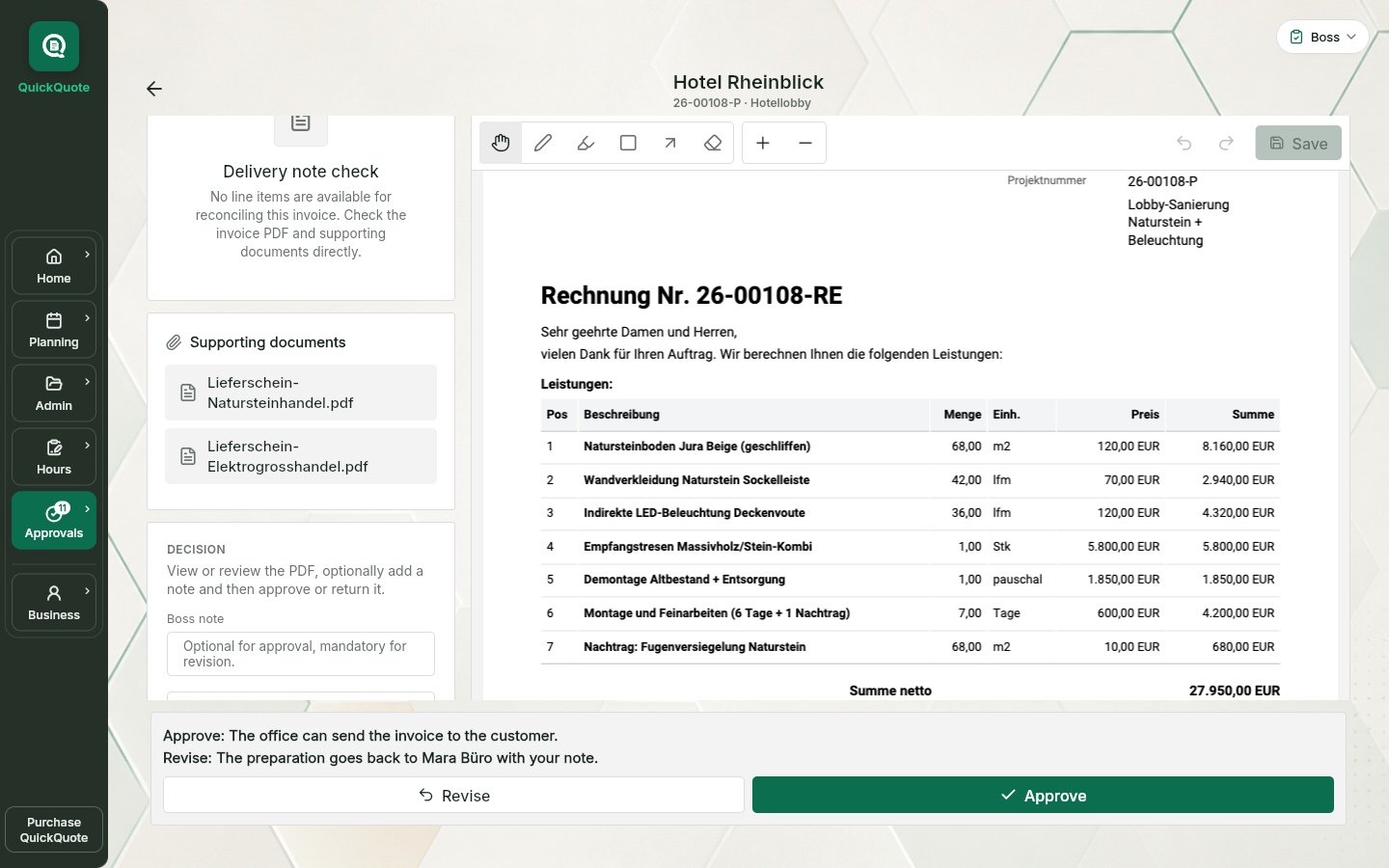
App views use this language. Example names, project data and sample PDFs may remain in German.