Report sick
Reported as soon as it is sent, no approval needed. Boss, owner and office see it right away.
QuickQuote Job Scheduling
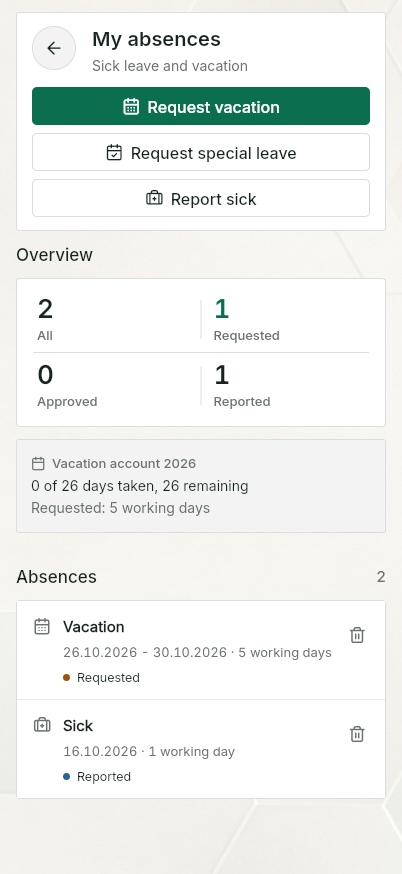
Your team reports vacation, sick leave and special leave in the app. The team sees them in the week plan, the vacation account tracks entitlement, carry-over and remaining days. Free for up to ten people including the owner.
QuickQuote Job Scheduling
During setup you define working time per weekday and the company's annual vacation. You can deviate for individuals: part-time, own entitlement, carry-over from last year, joining mid-year. The federal state sets the public holidays.
Up to ten people including the owner, no payment details, no trial. Sick note attachments, AI dictation, quotes and invoices are part of QuickQuote Pro.
Why this hurts
The sick call comes in at six in the morning as a voice message. The vacation wish is mentioned in passing in the yard. Last month's request is a paper slip in the office, and whether it was approved only the boss knows.
The question that keeps coming back is always the same: how many days do I have left? Finding the answer takes time in the office, and the answer is only as good as the last spreadsheet somebody maintained.
On top of that, trade teams do not sit at desks. A form that can only be filled in at the office does not get filled in. It gets said out loud, and then forgotten.
Four ways, one screen
Every report has a period, an optional note and a visible status: reported or requested.
Reported as soon as it is sent, no approval needed. Boss, owner and office see it right away.
Choose the period, the app shows working days without weekends and public holidays and the remaining days after this request. The request appears as "Requested" in the week plan.
Special leave, for example bereavement, wedding or moving house. Works like a vacation request, does not reduce the vacation account.
Office, boss and owner record absences for others, also retroactively. The entry shows who recorded it.
Vacation account
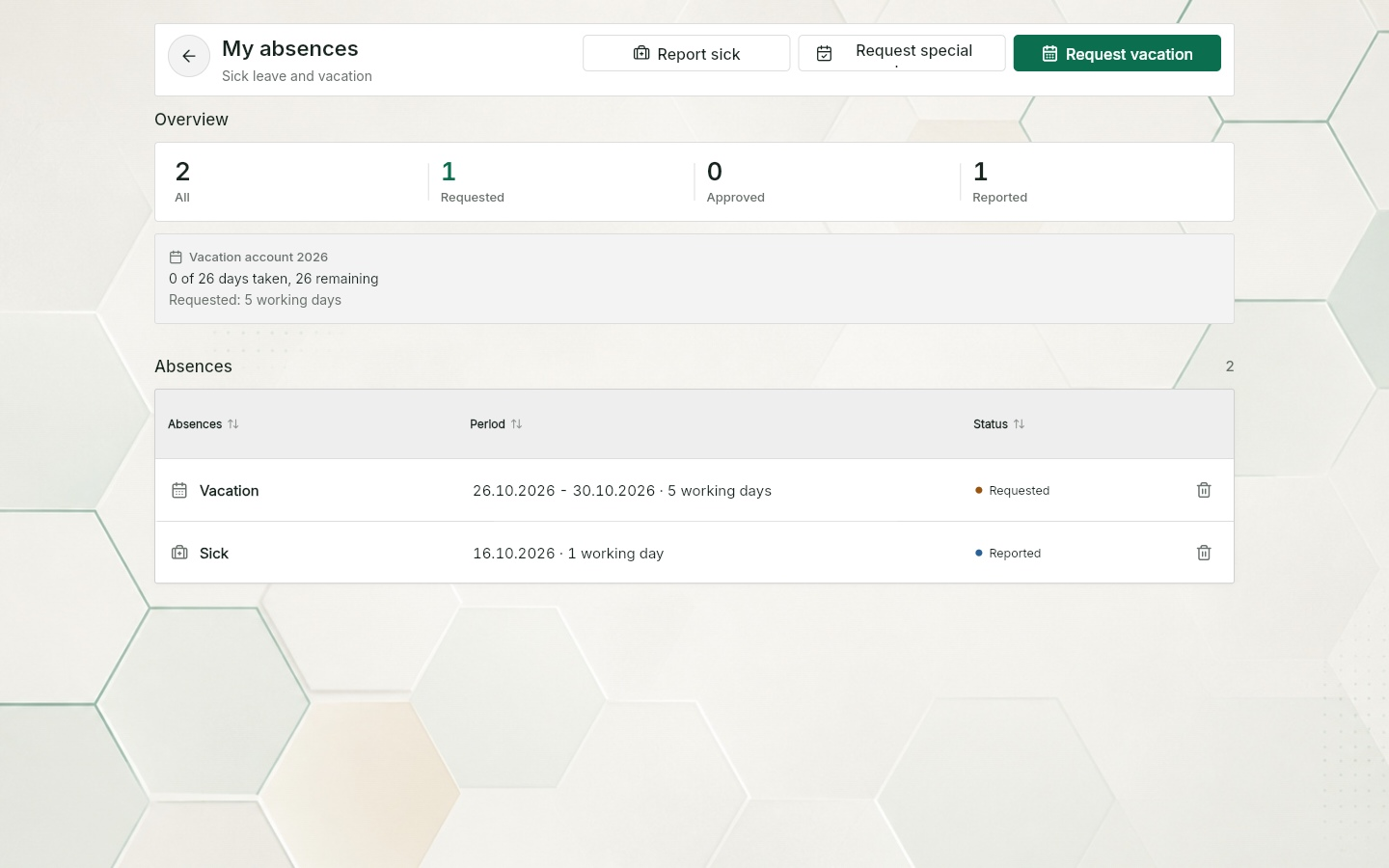
Entitlement, carry-over, taken, requested, remaining: per person and calendar year, plus sick days and special leave days. Working days are counted by the person's work schedule, without public holidays. Whoever starts mid-year gets a pro-rated entitlement. A request across the turn of the year counts correctly in both years.
Because requested days are tracked separately, the request also shows what would remain afterwards.
Sick days and special leave are counted separately from vacation. Reporting sickness does not automatically change an already approved vacation request; overlapping periods need to be reviewed separately.
Three views
Own requests and reports with status, own vacation account. An open request can be withdrawn.
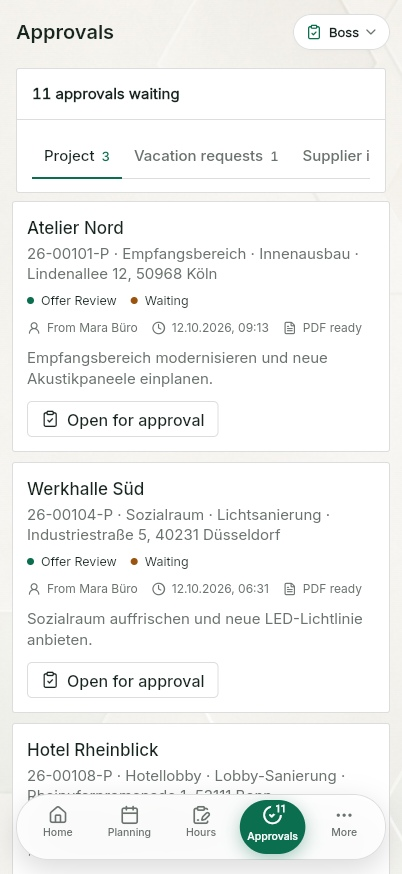
Open vacation requests on the home screen, the person's vacation account right on the request, all absences in the week plan.
Absence overview with one row per employee, year selection, recording and withdrawing with a reason.
Week plan
Vacation, sickness and special leave appear as a bar in the person's row, open requests with the note "Requested". Whoever schedules someone on an absence day or public holiday gets a prompt and has to confirm deliberately. Free job scheduling
Weekly target
The weekly target stays as set in the work schedule. An approved vacation day, a reported sick day and a public holiday credit their hours. So the hours overview is right even in weeks with vacation. Free timesheet app
Part of something bigger
QuickQuote Pro has an approvals inbox with four queues: project (quotes and invoices), vacation, supplier invoices and hours, each with a counter for what is open. There, sick leave can carry the sick note (doctor's certificate) as a file.
That is the difference between a single-purpose tool and job management software for the whole business.
Vacation, sick leave and absences are part of the package at no extra cost. The full breakdown is on the pricing page.
Frequently asked
Nothing. Vacation requests, sick leave, special leave, vacation account and absence overview are free for up to ten people including the owner. No payment details, no trial.
There is no trial and no subscription that starts by itself. Any change to the free access is governed by the terms, with notice by email and the chance to export your data.
Then you need QuickQuote Pro: 89 EUR a month plus VAT for the owner and two team licences, up to ten installers per company included, further seats per role. Vacation and absences work the same there.
In QuickQuote Pro yes, as a photo or PDF on your own sick leave entry. In the free planner sick leave stays without a file.
QuickQuote uses encrypted transfer and role-based access. Database and server-side functions are set up in European regions; individual services may also process data outside the EU. Providers and safeguards are listed in the privacy policy and the DPA.
Yes. Vacation requests, sick leave, special leave and the vacation account run without Pro. Pro adds the approvals inbox and the sick note attachment.
In the app under absences: pick the period, add an optional note, send. The request appears as "Requested" in the week plan and in the vacation account. While it is open, the employee can withdraw it.
Yes. Every employee has a vacation account with yearly entitlement, carry-over from last year, days taken, days currently requested and the rest. The request itself shows how many days would remain afterwards.
Yes. Carry-over is stored separately, together with the year it is valid for. It neither expires unnoticed nor gets counted twice.
No. Sick days and special leave are counted separately and never touch the vacation entitlement.
Special leave covers occasions such as bereavement, a wedding or moving house. It is tracked separately so it does not reduce the vacation entitlement. Unpaid periods can be marked accordingly.
Yes. Past periods are back-filled by the office and count immediately. Future vacation booked by the office stays a request.
No. QuickQuote keeps requests, decisions and absences in the day-to-day workflow. Payroll and HR records stay in your existing systems, with the recorded periods as a clean basis.
Keep reading
Week plan, bars, crews, customer appointment, absences in one view.
Free job schedulingStart, end, break on the job, boss approval, PDF with signature.
Free timesheet appCompare free and Pro.
Pricing: free planner, Pro from 89 EURLook first. Decide later.
No installation and no payment details: free for up to ten people including the owner. Before that, you can explore the whole workflow in the demo, no sign-up needed.
App views use this language. Example names, project data and sample PDFs may remain in German.